
- Coworking
- Technology
Nexudus Workflows Bring Deeper, Contextual Automation To Coworking Software

TL;DR
Nexudus Workflows let coworking operators automate actions when something changes inside their account.
A new customer, cancelled contract, updated booking or support ticket can start a workflow automatically, using information from that record to decide what happens next.
Because the automation runs inside Nexudus, teams can manage the workflow, permissions and run history without moving routine processes into another platform.
What are Nexudus Workflows?
A workflow is a series of actions that Nexudus carries out when a defined event takes place.
The starting point could be a change to a customer, booking, contract, invoice, support ticket, lead, event or another type of record in your account.
You decide:
- What type of record Nexudus should watch
- Which change should start the workflow
- Any conditions that need to be met
- What the workflow should do next
The workflow then runs automatically when those conditions are met.

Start a workflow when something changes
A useful way to think about workflow automation is:
When something happens in Nexudus, it can trigger something else to happen in Nexudus.
For each workflow, you can choose the type of record you want to monitor and whether it should start when that record is:
- Created
- Updated
- Deleted
You can also be much more selective.
For an updated record, you don’t have to run a workflow every time something changes. You can tell Nexudus to watch particular fields and then add conditions around the change.
For example, you could watch the Active field on a customer record and only run the workflow when an inactive customer becomes active.

Nexudus adjusts workflow scenarios
The record that starts the workflow also gives the workflow context. You can use a pre-made template, edit one, start from scratch or type to ask AI to build one for you.
If a customer triggers it, the workflow can use information such as their name, email, plan and account details.
If the trigger is an update, the workflow can also use information about what the record looked like before the change.
That makes workflows useful for processes where the next action depends on what has actually happened.
For example:
A new customer joins
Create an internal note, tag them as welcomed and start whatever other onboarding steps your team uses.
A contract is cancelled
Create the tasks your team needs to complete as part of the offboarding process.
A booking changes
Take an action based on the booking or the member involved.
A support ticket is created
Use information in the ticket to begin the appropriate internal process.

Conditions mean workflows run right
Good automation is about automating the right process at the right moment. Conditions let you narrow down when a workflow should run.
A customer record changing isn’t necessarily meaningful on its own. You may only care when a particular field changes, or when the previous value meets a certain condition.
That means you can build workflows around more useful events, such as:
- A customer becoming active
- A particular type of contract ending
- A booking changing status
- An invoice reaching a particular state
- A ticket meeting certain criteria
The more clearly you define the trigger, the less unnecessary activity the workflow creates.
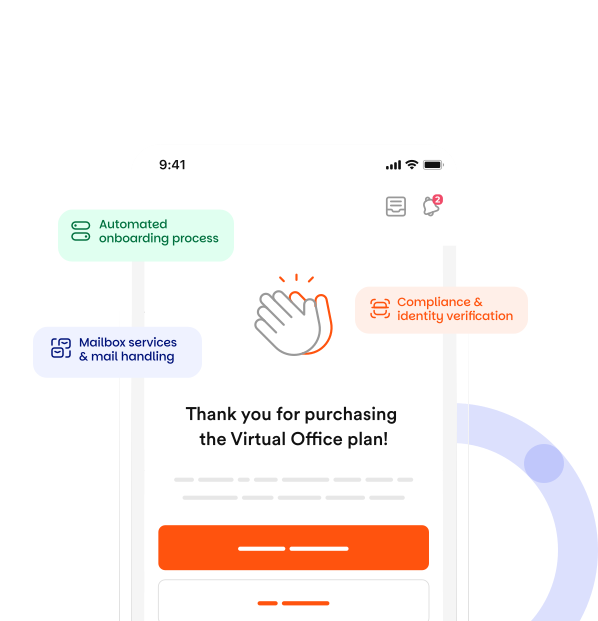
This can be particularly useful for services with more involved customer processes. For example, operators offering virtual office services may have customer, contract and service changes that need several follow-up actions.

Keep permissions as tight as you need
Automation shouldn’t bypass the controls you already have in place.
Each workflow runs as an execution user selected by the operator.
The workflow can only carry out actions that user has permission to perform.
So if the chosen admin isn’t allowed to perform a particular action in Nexudus, the workflow doesn’t suddenly gain additional access simply because it is automated.
This allows operators to think about workflow permissions in much the same way as they think about staff permissions: give the process access to what it needs rather than unrestricted access to everything.
See what happened in Run history
One of the problems with automating work across several systems is working out what went wrong when something doesn’t happen as expected.
Nexudus keeps the workflow and its activity together.
Run history shows when a workflow ran and why it started, along with the information that triggered it.
This gives teams somewhere to investigate a process rather than trying to reconstruct it across emails, integrations and separate automation platforms.
It also makes workflows easier to improve.
If a process isn’t behaving as expected, operators can see what triggered it, review the logic and adjust the workflow.

What stops workflows from triggering eternal loops?
Automating changes to records creates an obvious problem.
Imagine Workflow A changes a customer record. That change starts Workflow B. Workflow B then changes the same record and starts Workflow A again.
Without controls, two perfectly reasonable automations could create an endless loop.
Nexudus includes safeguards designed to prevent that.
A workflow doesn’t restart itself because of changes it made. Record-triggered workflows are also prevented from continually triggering one another unless the operator has explicitly allowed that behaviour.
Even when workflows are allowed to chain together, the chain is limited.
There are also controls around repeated changes to the same record, including grouping rapid edits together and stopping a trigger when it runs too many times for the same record.
When should you use Nexudus Workflows instead of Zapier?
Zapier and Nexudus Workflows solve slightly different problems.
If your process starts in Nexudus and ends in another application, an external integration makes sense.
For example:
Nexudus → Slack
Nexudus → Google Sheets
Nexudus → Mailchimp
Zapier, webhooks or an API integration can connect those systems.
But when both sides of the process are inside Nexudus, moving the automation into another platform adds an unnecessary layer.
For example:
Customer changes → update customer
Contract changes → create internal task
Ticket created → update another Nexudus record
These processes can stay inside Nexudus Workflows.
That means there is no separate automation account to manage, and your team can build the process using the same software that holds the underlying customer, booking or contract information.
This doesn’t make Zapier redundant. It gives operators another choice depending on where a process starts and finishes.
When is workflow automation most useful?
It’s tempting to automate a process simply because you can.
A better place to start is with the work your team already repeats.
Ask:
- What happens every time somebody joins?
- What does the team do when a contract is cancelled?
- What happens when a particular booking changes?
- Which updates does somebody regularly spot and then act on manually?
- Which internal processes are predictable but still rely on somebody remembering the next step?
Those are the processes worth looking at first.
Coworking software already holds a large amount of operational information about your members, bookings, contracts, invoices and services. Workflows let that information become the starting point for the next action rather than simply something your team has to monitor.
Want to know more about
how Nexudus could help your business?
We’re here to answer any questions you have.
Latest articles
-

- New Releases
- Technology
Nexudus Print makes coworking printing easy
Jane Robathan on November 9, 2026 -

- New Releases
- Technology
CFDI invoice stamping is now available in Nexudus
Jane Robathan on October 27, 2026 -

- New Releases
- Technology
What if selling cowarehousing space worked like e-commerce?
Jane Robathan on October 22, 2026