

Training Team on October 19, 2026
Custom Fields on Visitor Registration Forms
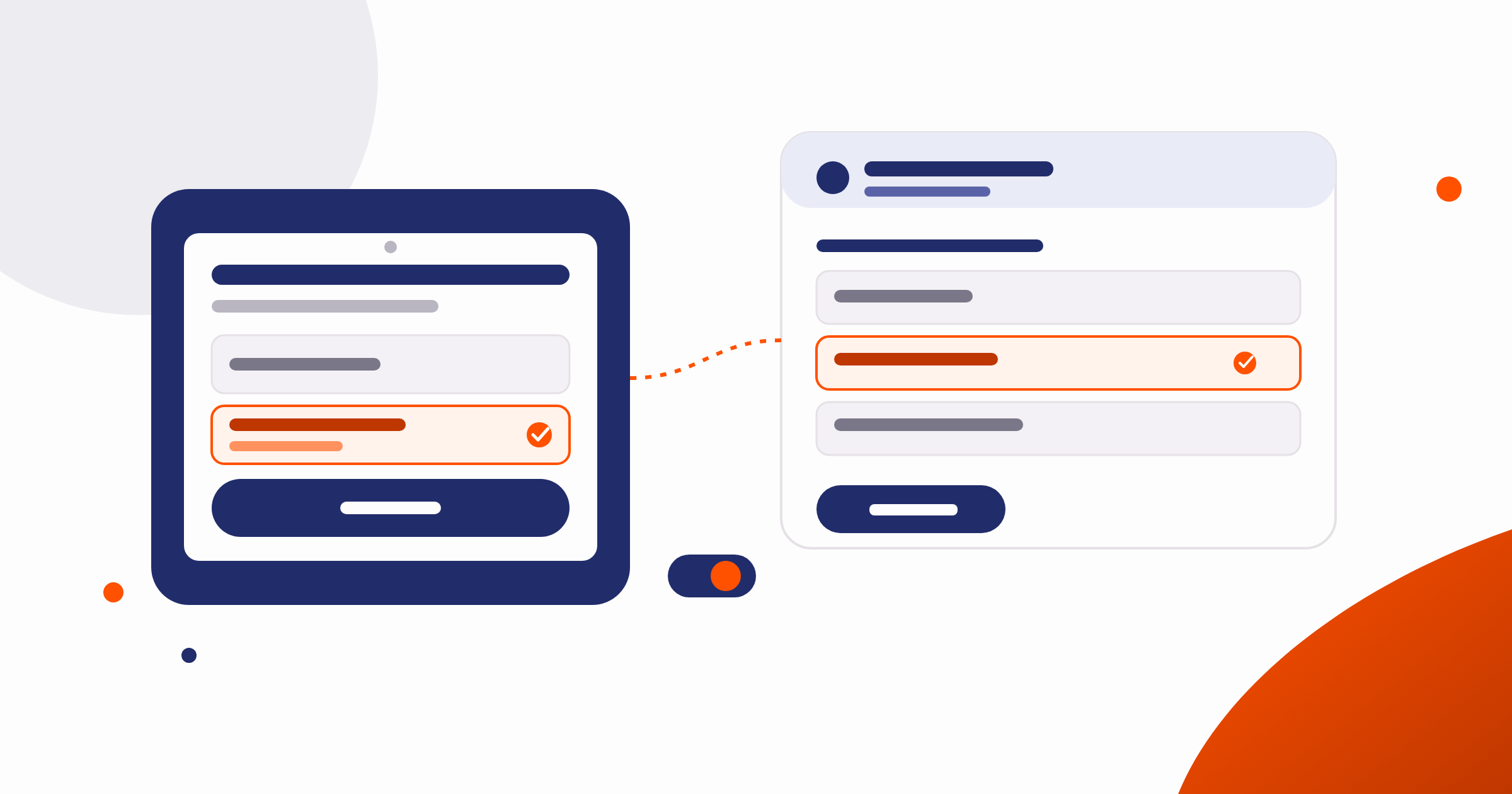
You can already create custom fields for visitor records in Nexudus. Now those fields can appear directly on the forms your customers and their visitors actually fill in: the Members Portal and the NexIO self-registration tablet.
What’s new
Choose where your fields appear
Two new settings let you choose exactly where each custom field shows up:
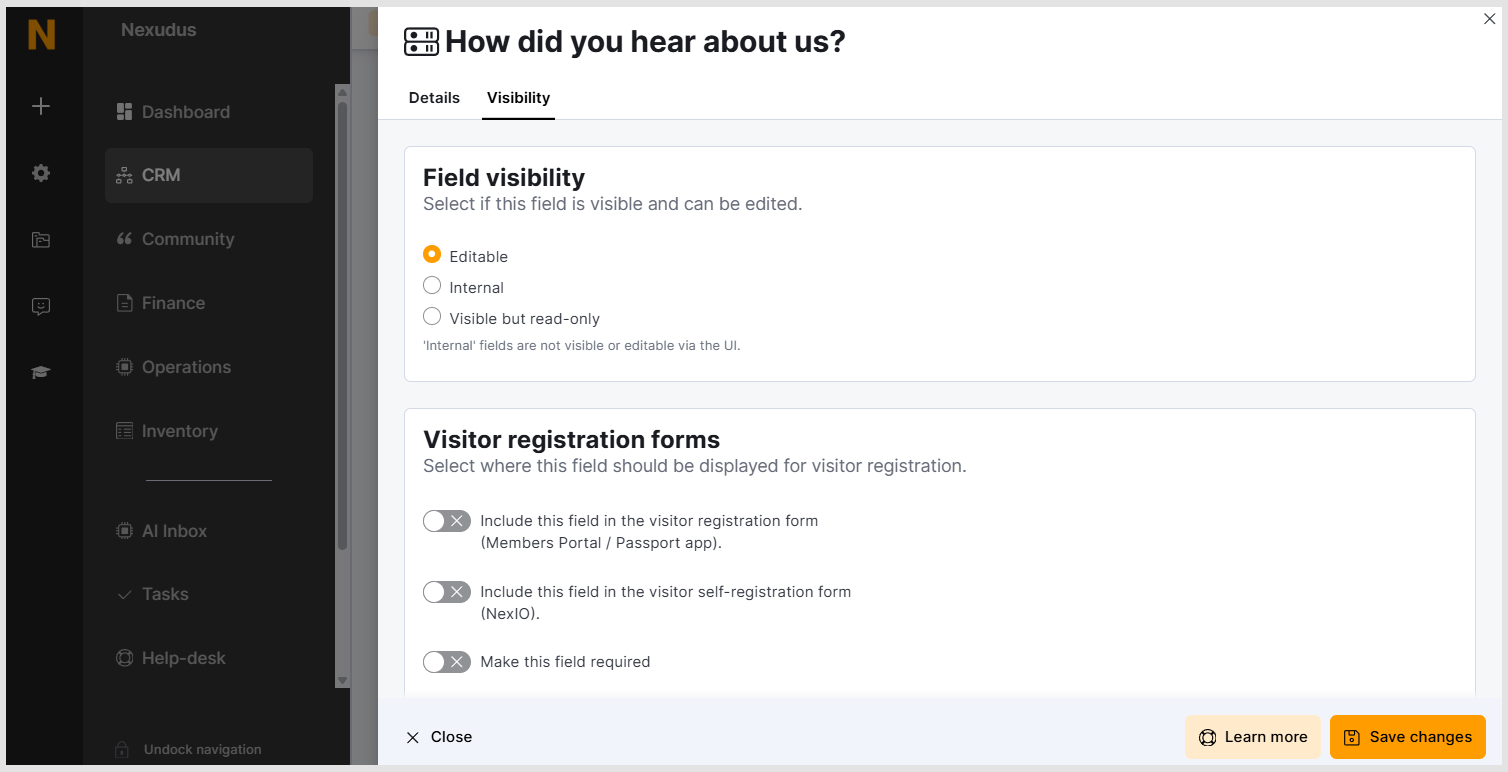
- Include this field in the visitor registration form: it appears in the Members Portal when a member registers a visitor in advance.
- Include this field in the visitor self-registration form: shows the field on NexIO, for when a visitor registers themselves at reception.
You’ll find both toggles, along with a Make this field required option, wherever you manage custom fields. Nothing changes for existing fields until you turn these on.
- Navigate to CRM > Custom Fields, open any visitor field, and turn on the toggles for the forms where you want it to appear.
- You’ll find a link to this same screen from Companion Apps > NexIO in the Admin Panel.
Why it matters
Different visitors need different information depending on how they check in. With this update, you can:
- Ask NexIO visitors for details a host wouldn’t know, like dietary requirements, without cluttering the Members Portal
- Collect planning information from members in advance, like vehicle registration, without asking the visitor to repeat it at the tablet
- Make any of these fields mandatory, and Nexudus will enforce that consistently across every registration channel
Where you’ll see it
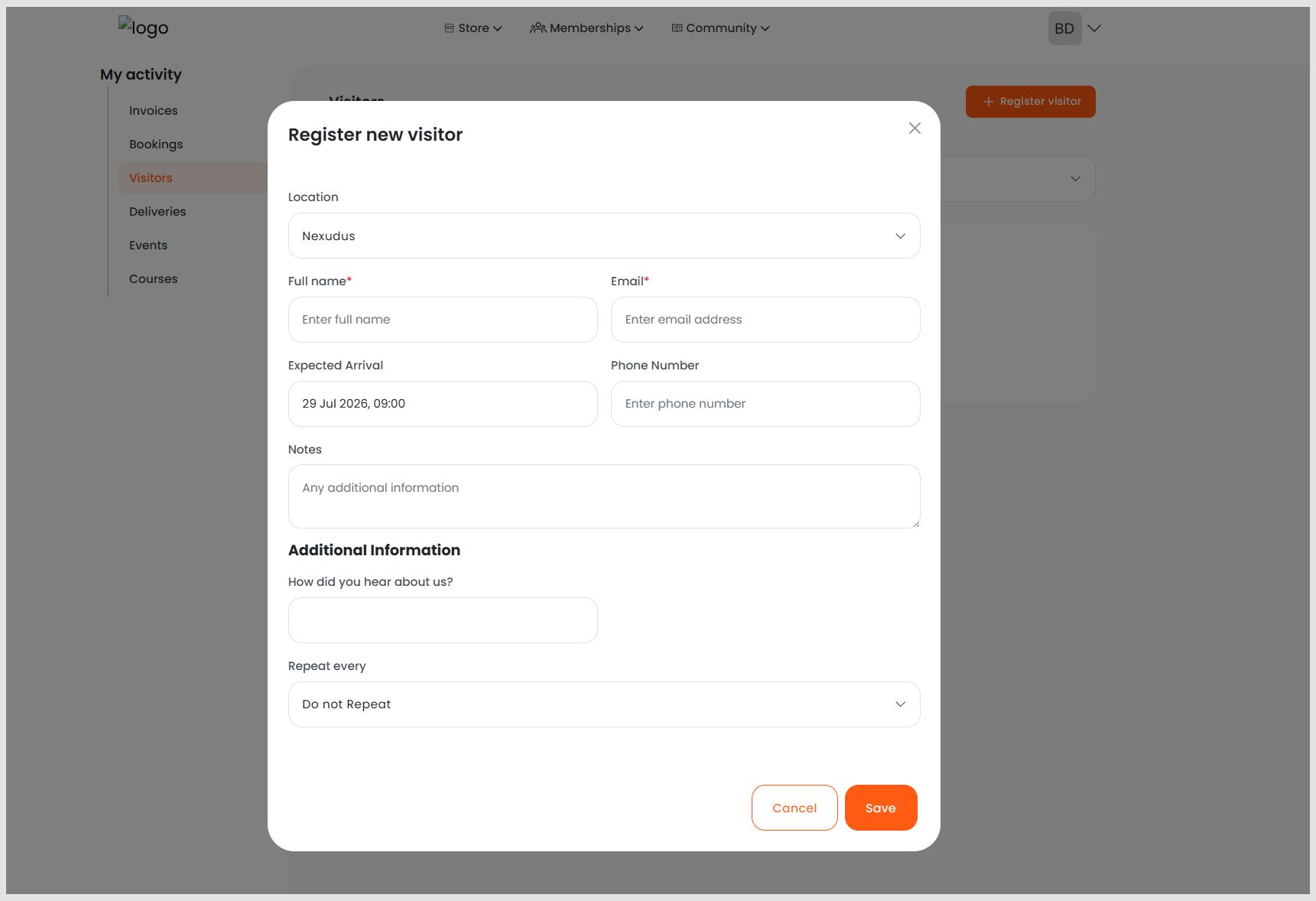
- Members Portal: any field you’ve marked for the visitor registration form appears when a member adds a new visitor.
- NexIO: any field you’ve marked for self-registration appears on the tablet, with the same validation you’d expect from any other required field.
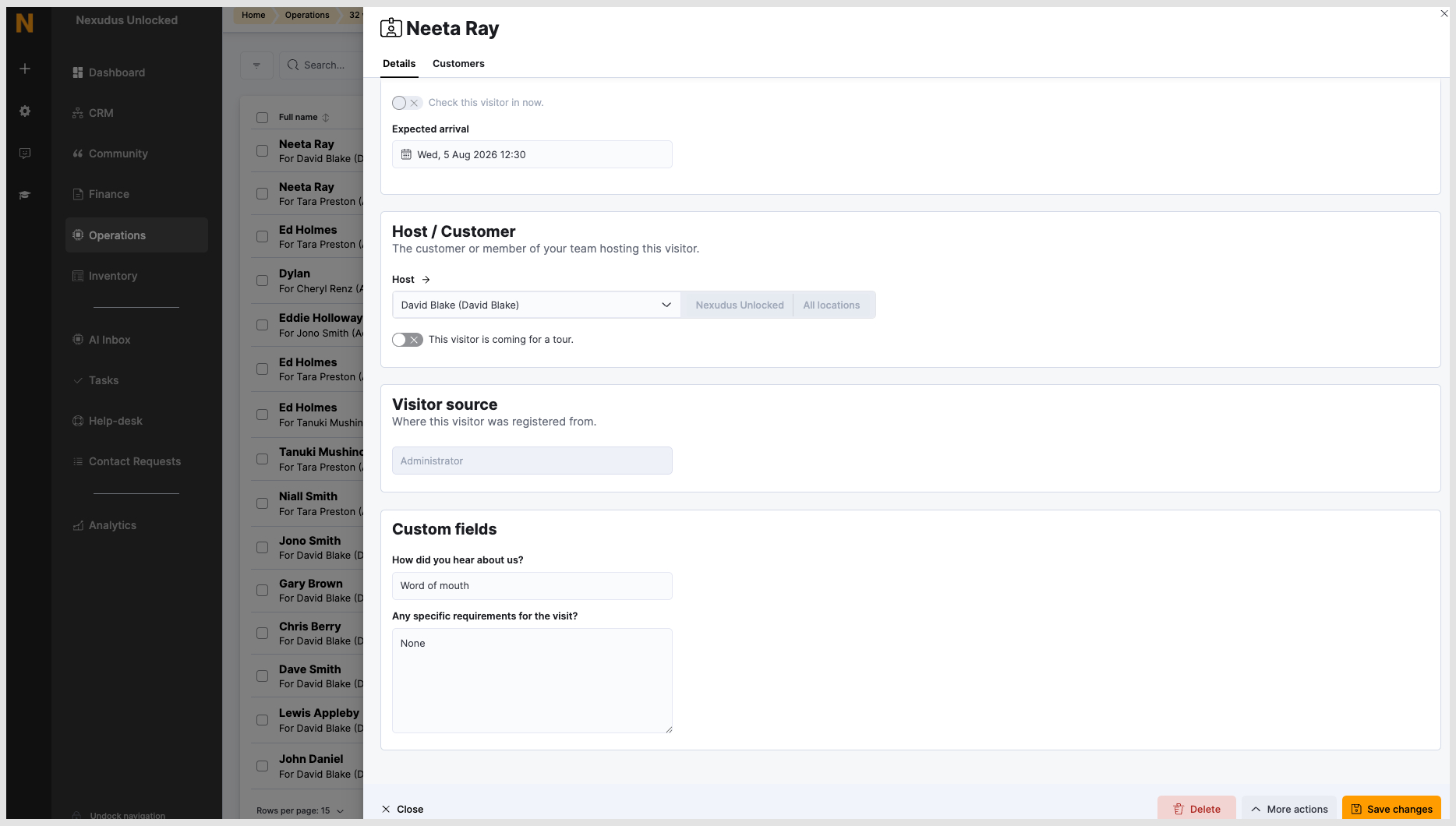
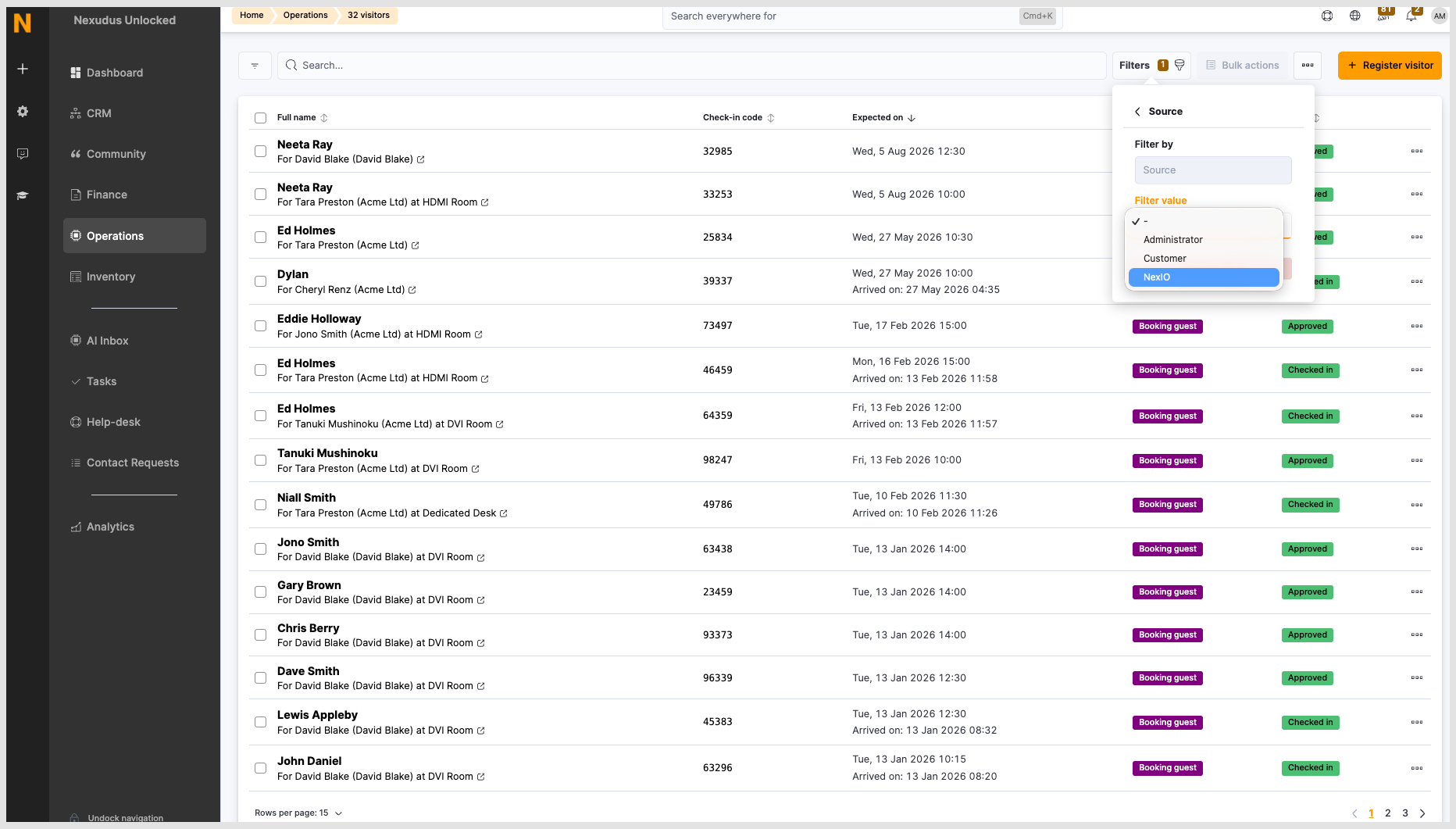
- Admin Panel: you’ll continue to see every custom field on a visitor’s record, along with a new Source filter on the visitor list, so you can quickly separate NexIO self-registrations from visitors added by a member or an administrator.
You can filter the list of visitors in the admin panel.
Want to know more about
how Nexudus could help your business?
We’re here to answer any questions you have.