

Tailor your Virtual Office Identity Checks
New in Virtual Office
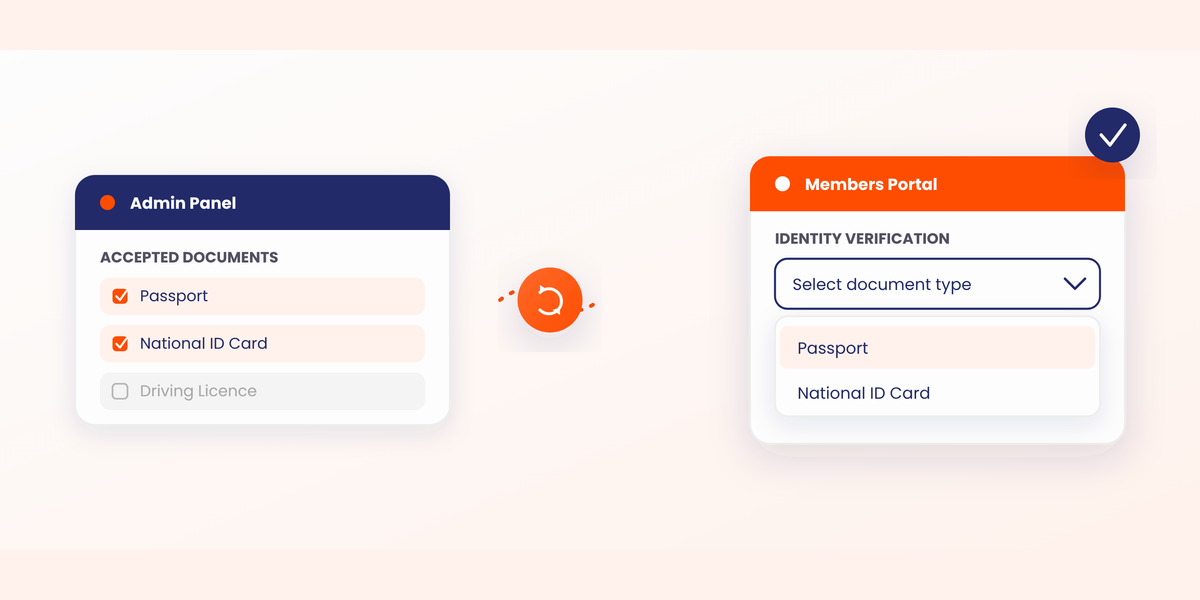
Virtual office space operators now have more control over their document verification requirements. When requesting an identity or address check, you can now specify exactly which document types are accepted as valid proof.
How to set this up in the Admin Panel
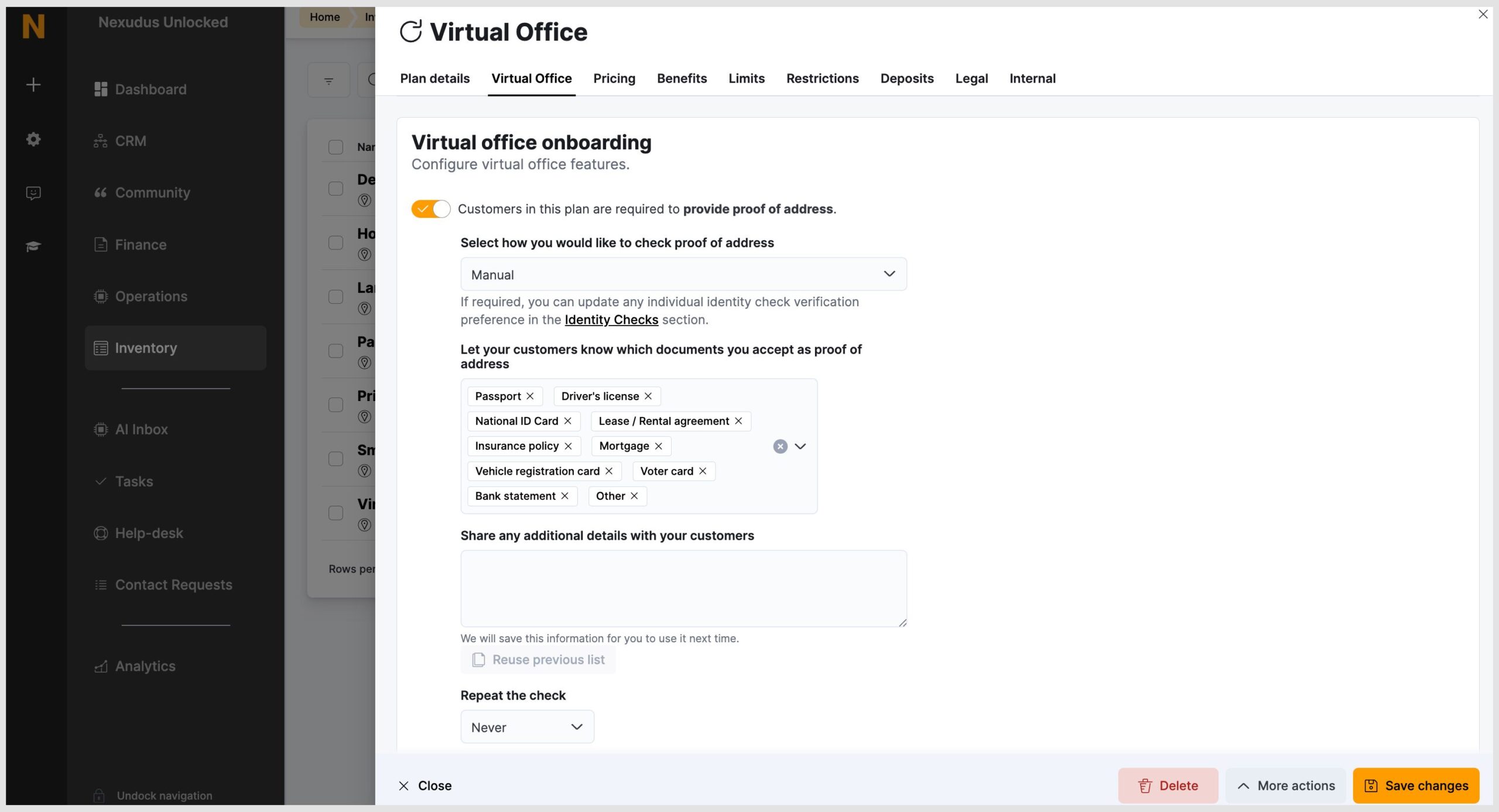
- Navigate to the Inventory module, then to Plans.
- Select the relevant Virtual Office plan and go to the Virtual Office tab.
- Add or remove document types to build your custom list of accepted proofs.
Note: You can only select from our pre-set list of document types; you cannot create entirely new custom document categories. Also, this feature is only available in V5.
Override standard document list
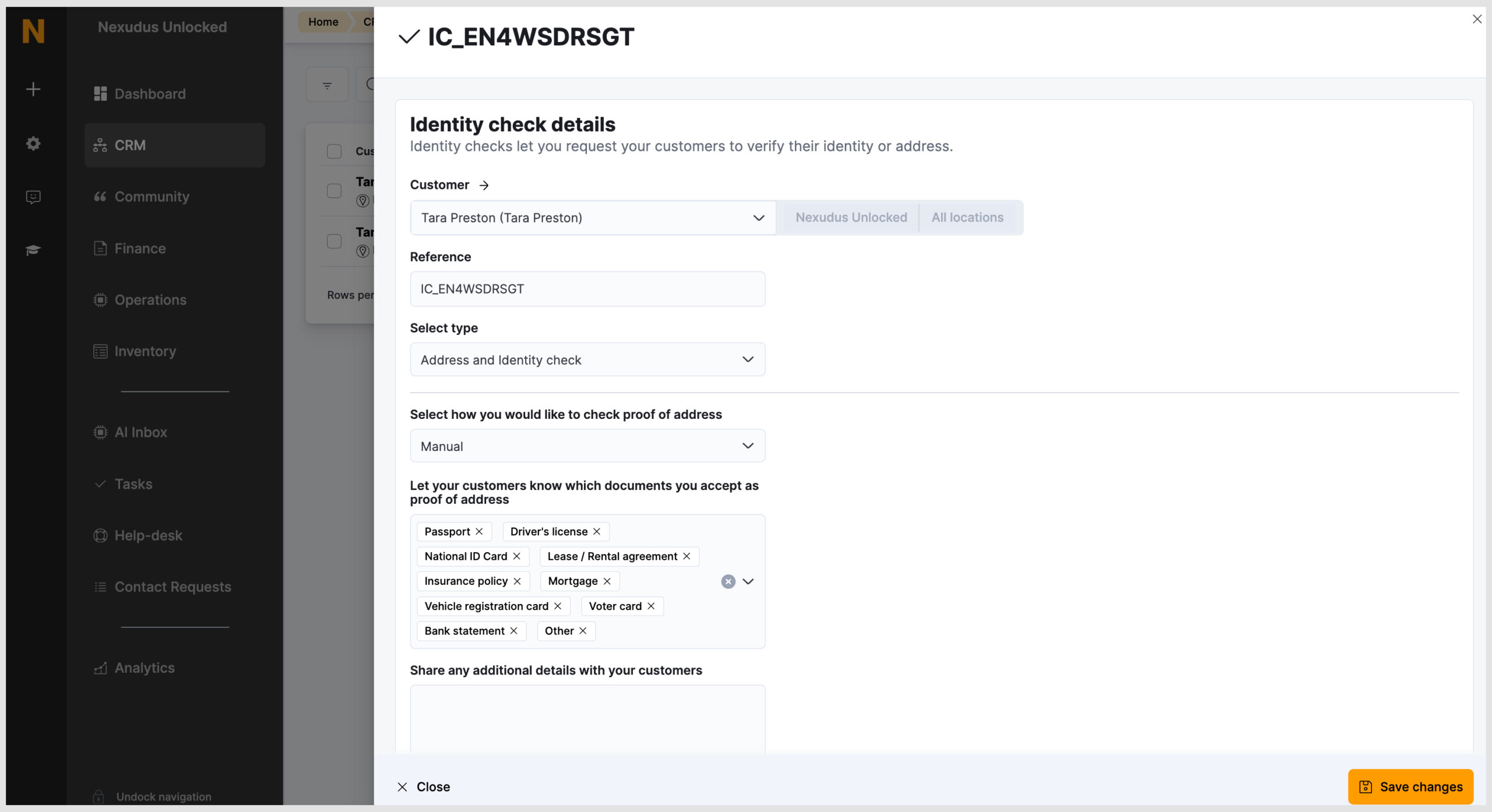
When initiating a one-off identity request, you can easily override the standard document list linked to a customer’s plan. To do so:
- Navigate to CRM > Identity Checks > Request Identity Check.
- Select your customer and the required check type.
- Add or remove document types to customise the accepted proofs for this specific request.
The Members Portal experience
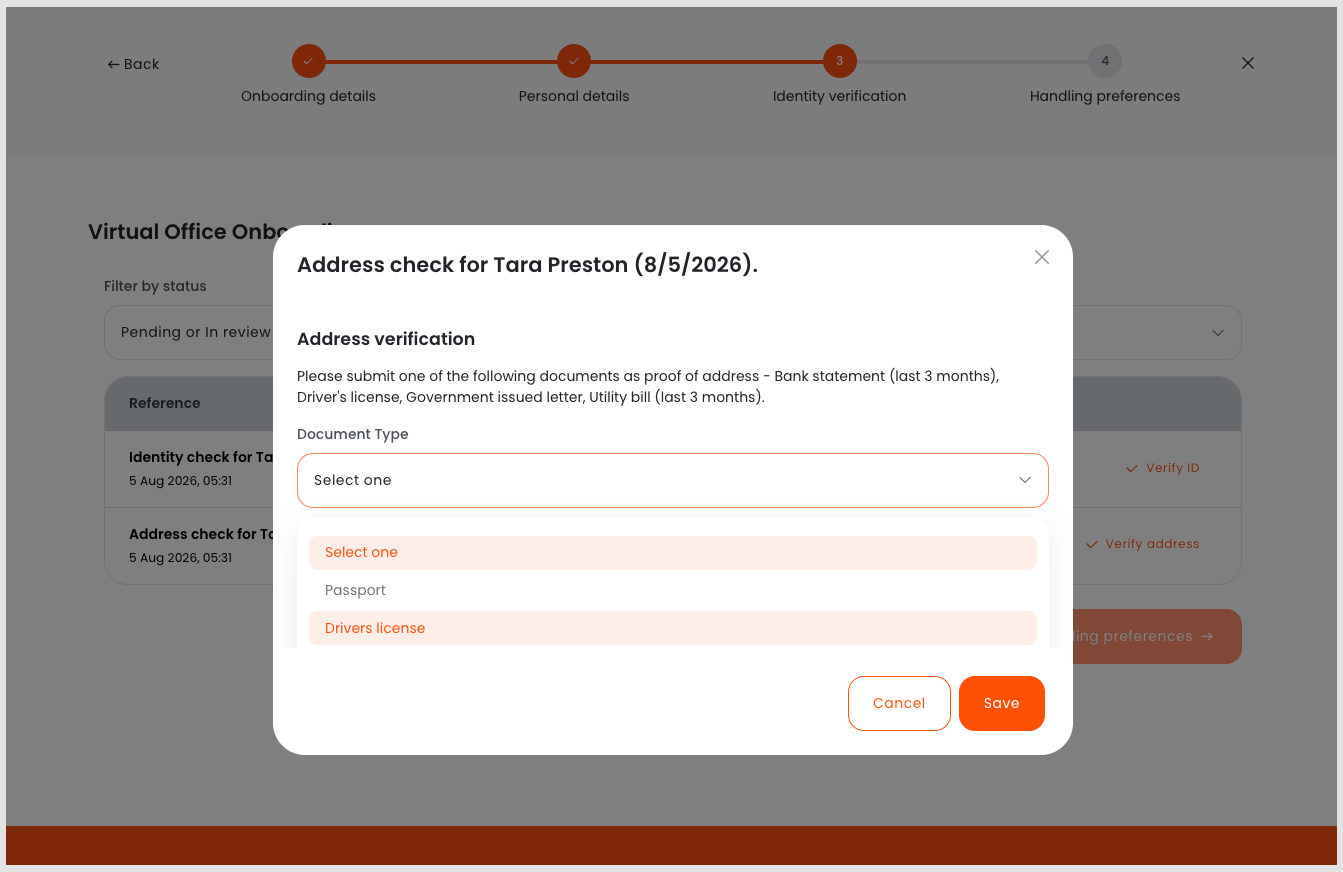
Your members will only see what you allow. Any document parameters you set in the Admin Panel will automatically sync to the Members Portal.
When a customer navigates to their Identity Verification tab, the drop-down menu will only display your approved list of accepted documents.
Want to know more about
how Nexudus could help your business?
We’re here to answer any questions you have.