

Get Found on Search Engines with Built-In SEO Tools
We know potential members often discover a coworking space through an online search before they ever hear about it by word of mouth. That’s why every Members Portal v5 location now includes automatic SEO pre-rendering, plus a dedicated settings tab to control exactly how your space appears in search results.
What’s new
Automatic SEO pre-rendering
When search engine crawlers or LLMs visit your Members Portal, they now receive a specially optimised version of each page. This happens automatically and includes:
- Meta tags: The page title and description that appear directly in search results.
- Open graph data: Generates rich, clickable preview cards whenever your portal is shared on social media platforms like X, Facebook, or Instagram.
- Structured data: Essential details about your location, opening hours, and services, formatted in a way that search engines can instantly read and categorise.
- Navigation links: Clear pathways that help search engine crawlers discover and index all your public pages.
Note: This is automatically enabled for all Members Portal Version 5 locations. There’s no setup required.
New SEO settings tab
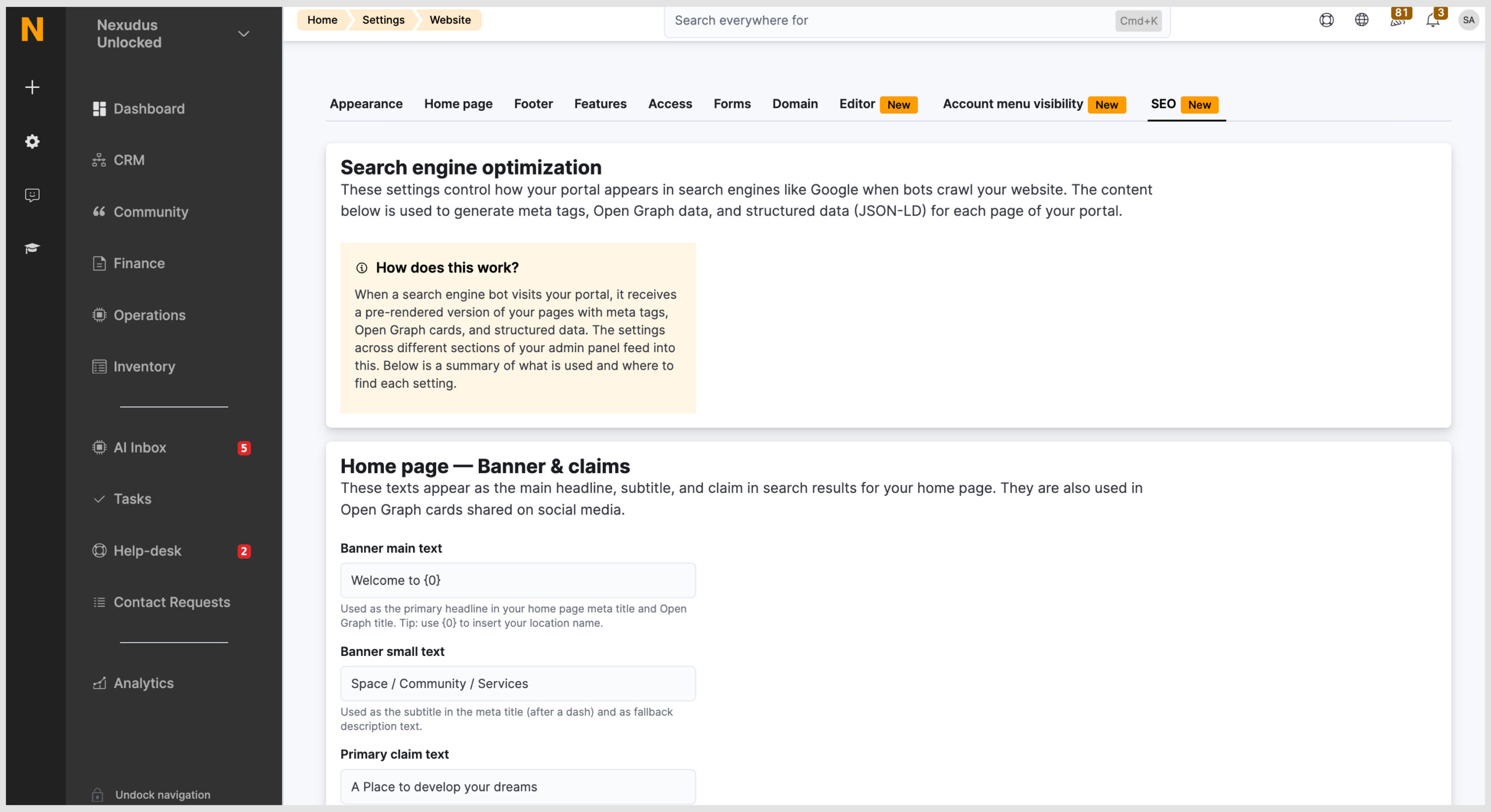
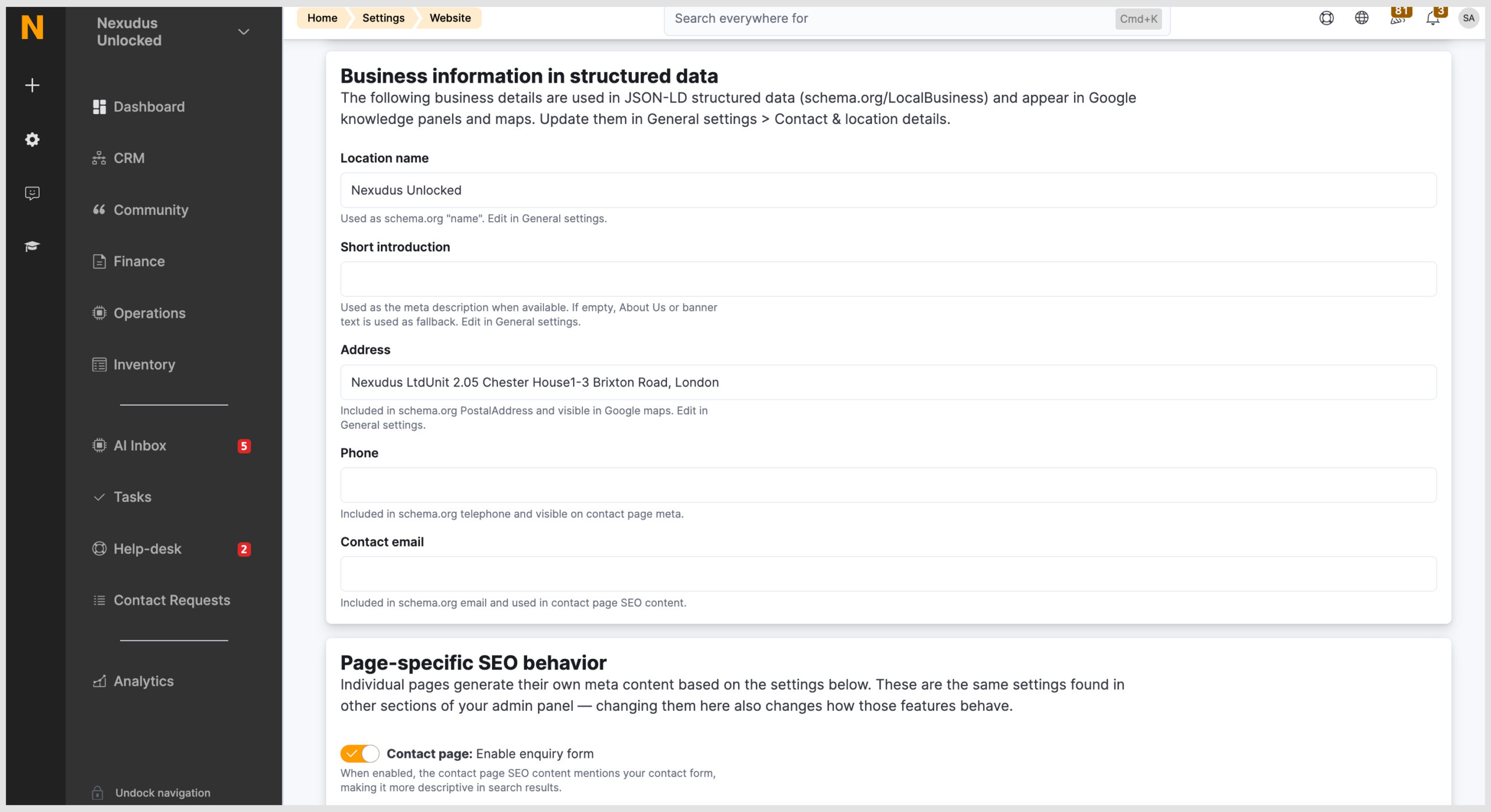
Head to Settings > Features > Website > SEO to configure exactly how your portal appears in searches.
(Note: This tab is only available for locations running Members Portal Version 5).
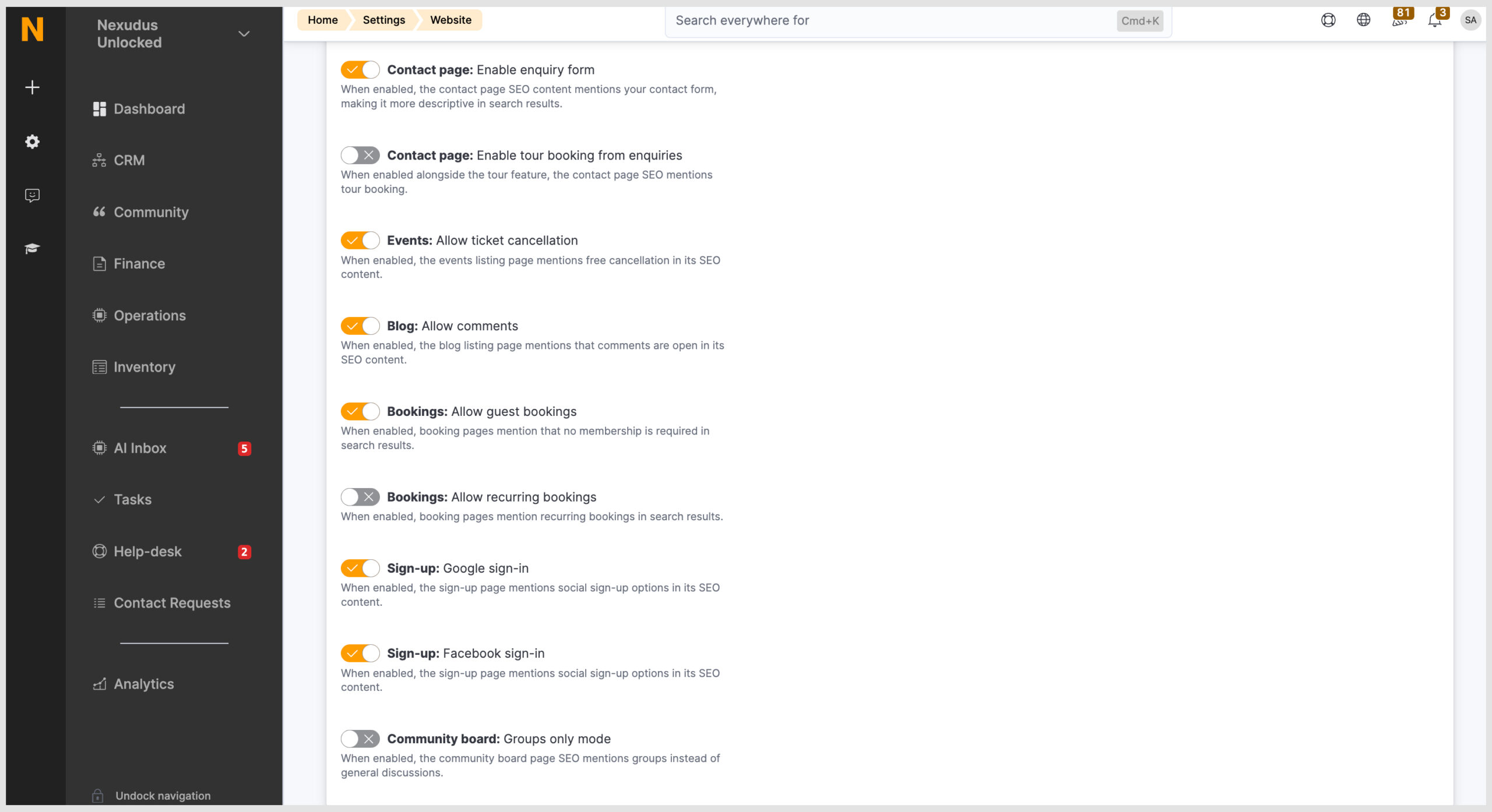
From here, you can customise:
- Banners & Claims: Your main banner text and claims feed directly into your search result titles, meta descriptions, and Open Graph cards.
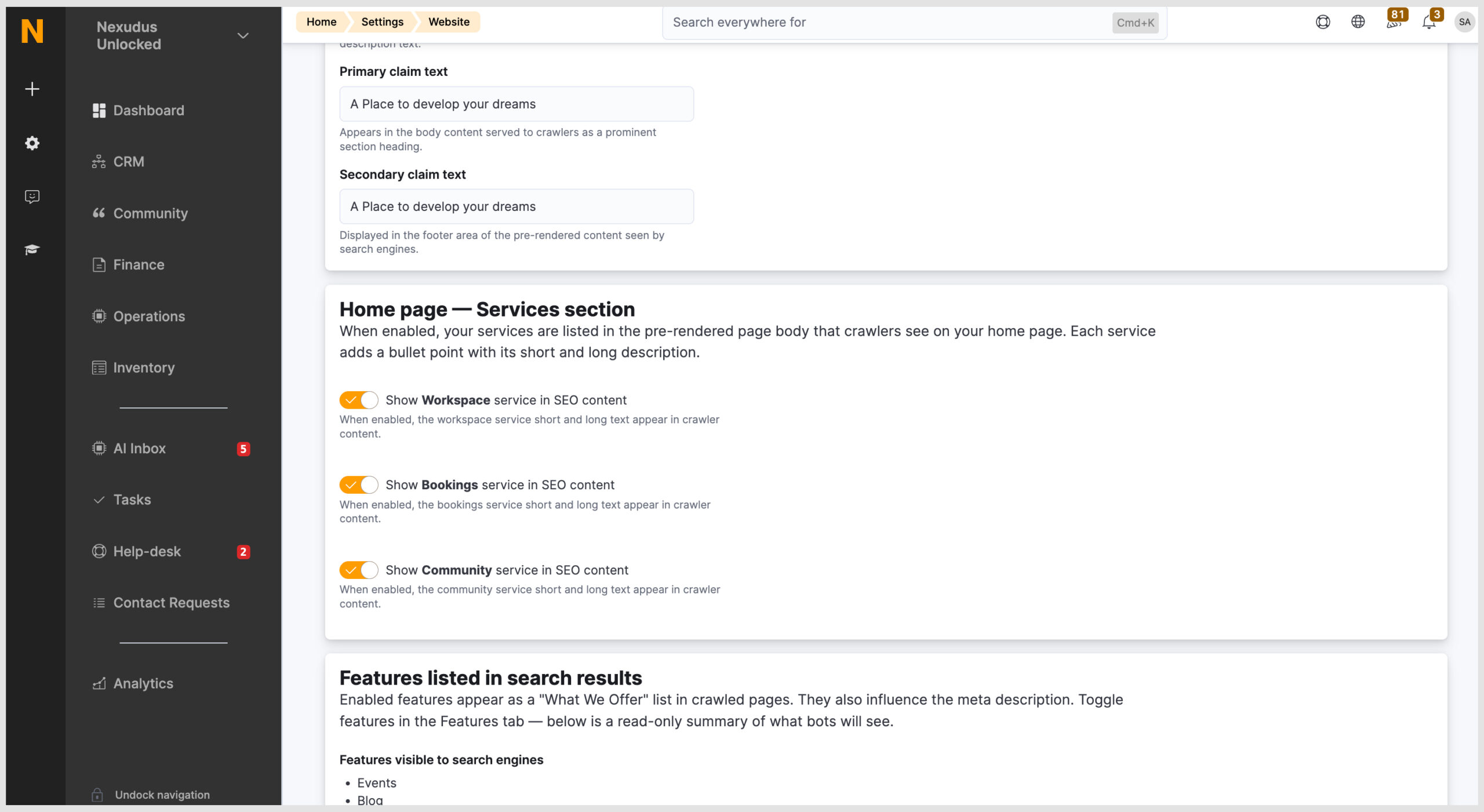
- Services content: The short and long descriptions you add for your Workspace, Bookings, and Community services will appear as clean bullet points in your pre-rendered SEO content.
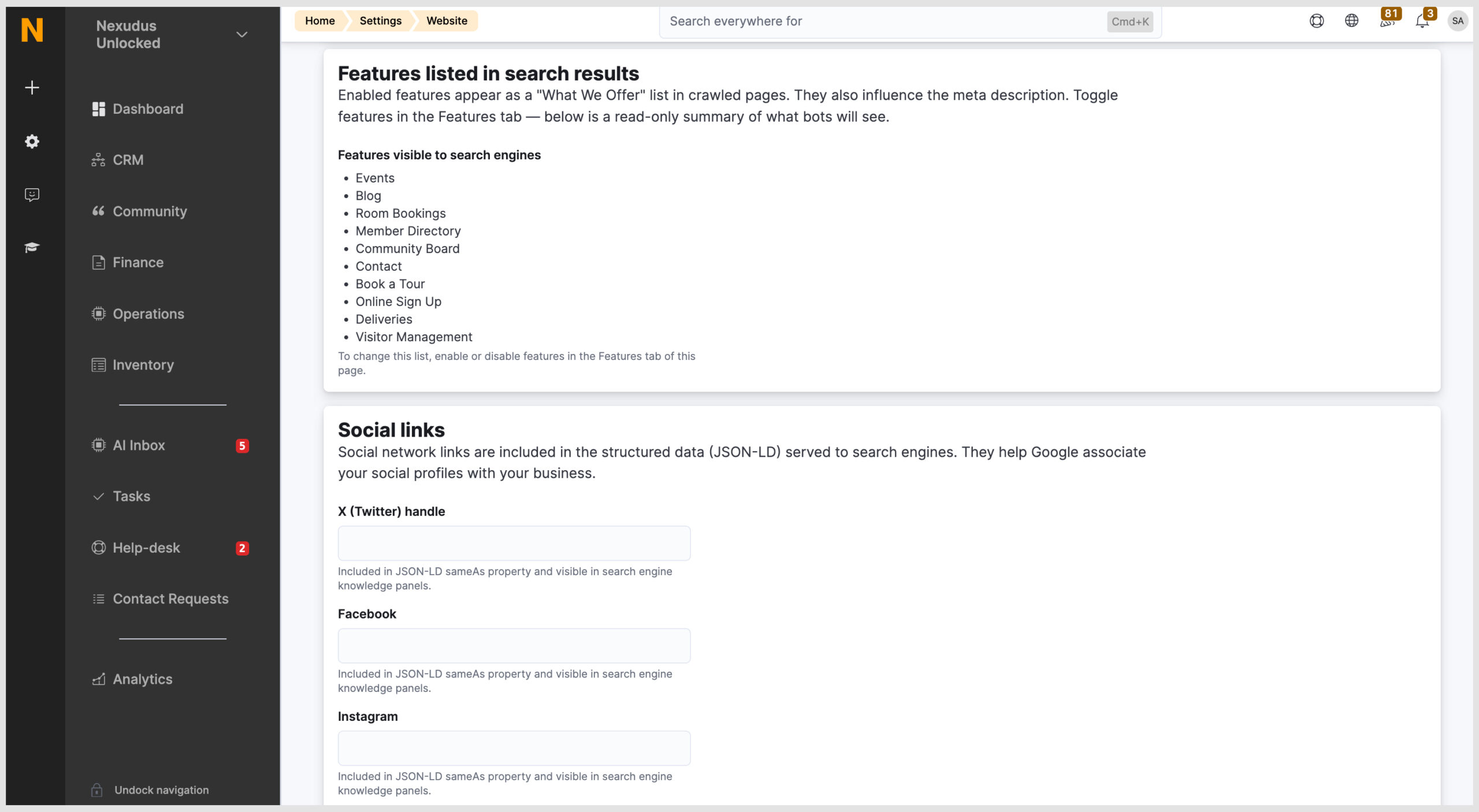
- Enabled features: Features you use (like Events, Blog, Room Bookings, or Book a Tour) are grouped into a “What We Offer” list, which helps populate your meta descriptions.
- Social links: Your social profiles are included in your structured data, helping search engines validate your brand’s official presence.
- Location details: Your location name, address, phone number, and map coordinates populate structured local data, helping you rank higher in local search and map listings.
FAQ rich results
If you’ve set up a public FAQ page (under Settings > Features > Website > Access > FAQs), it now includes structured data using the specific FAQ Page schema.
This allows Google to pull your questions and answers and display them directly on the main search results page.
Why it matters
A well-optimised portal makes your coworking space easier to discover and builds immediate trust. Small details like a clear meta title, accurate structured data for your location, and specific service descriptions all work together to build a much stronger presence in search results.
Recommended next steps
- Configure your SEO tab: Visit Settings > Features > Website > SEO to fill in your banner text, claims, and service descriptions.
- Complete your location info: Ensure your contact details are filled out under Settings > General settings > Contact & location details.
- Add social links: Input your social media URLs under Settings > Features > Website > Footer.
- Check your character counts: Keep your meta title under 60 characters and your meta description under 160 characters so they don’t get cut short in search results.
- Monitor your site: Use Google Search Console to track which pages are indexed and catch any crawl errors early.
Click here for full configuration details.
Want to know more about
how Nexudus could help your business?
We’re here to answer any questions you have.