

Members Portal – Typical User Journeys
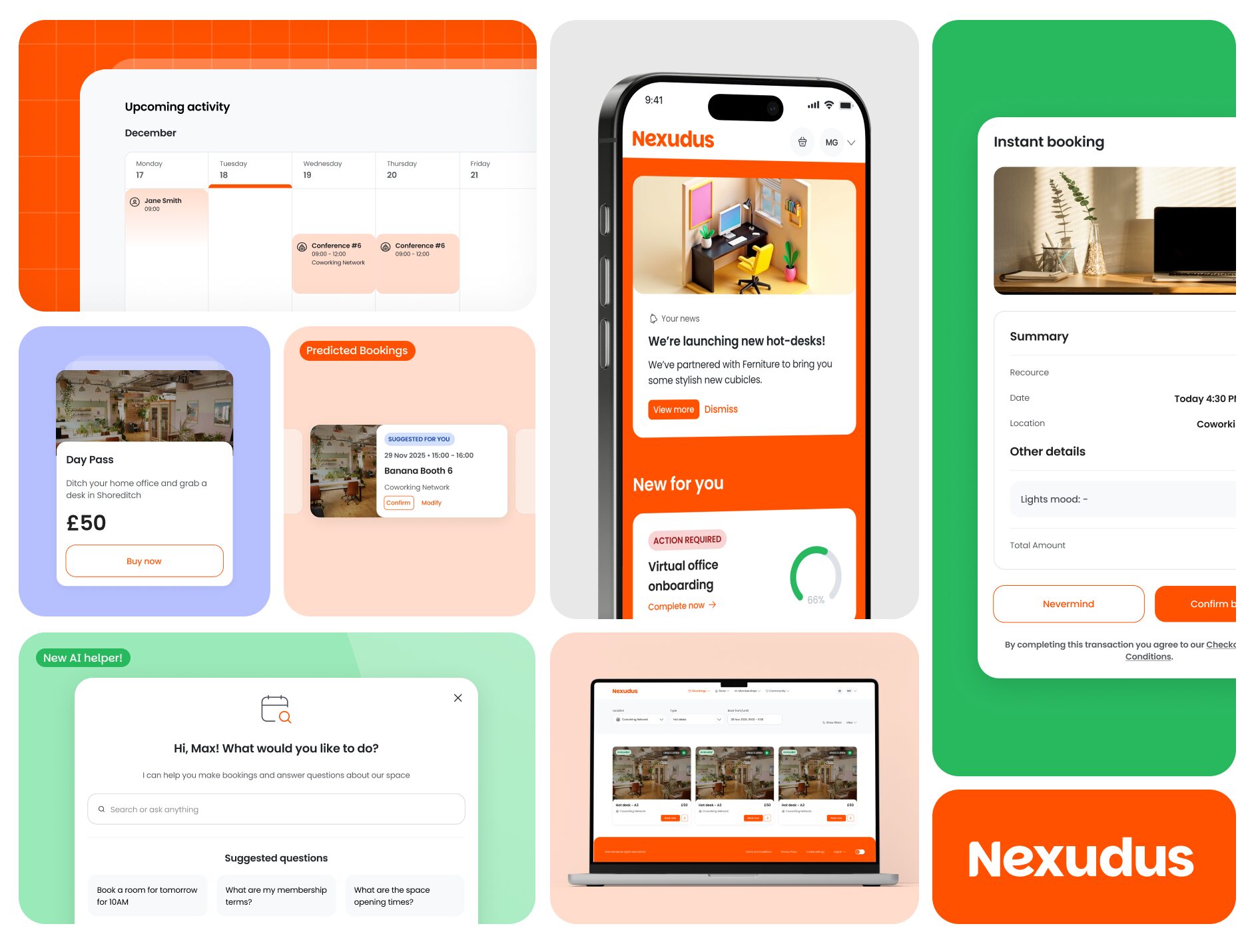
As an admin, it is important to have a clear understanding of how your customers interact with the Members Portal. The following user journeys highlight the most common flows. While the interface has been redesigned for a more intuitive experience, the core logic remains familiar, ensuring a smooth transition for your existing customers.
Note: The journeys captured in the videos below follow a generic setup. Your customers’ specific journeys may differ depending on your space configuration.
Guest Experience
With the new Members Portal, guests can place bookings and purchase event tickets or products (without benefits) without needing a pre-existing account.
At the end of the checkout flow, guests are given the option to create an account.
Note: Guests can only purchase products without benefits. For more information on products with benefits, check out the Knowledge Base.
Placing Bookings
The booking experience is now more intelligent. The new Members Portal features a built-in AI assistant trained on your resource, booking, and published FAQ data to assist with creating, updating, or cancelling reservations. Additionally, Predictive Booking helps customers secure their preferred slots faster by suggesting likely options based on their history. The booking functionality remains the same, however, the updated UI makes it a smoother journey for your customers.
Purchasing a Plan
If you have enabled the relevant settings, customers can now enquire about specific plans or memberships directly through the portal. The standard purchase flow remains consistent with previous versions, ensuring members can upgrade their access with ease.
Managing Invoices
Paying an invoice is now more straightforward. If a customer has outstanding invoices, a dedicated tile appears on their dashboard for immediate access. Clicking this tile takes the customer directly to the relevant invoice for payment.
When a payment is processing, the ‘Pay’ button and dashboard reminders are automatically hidden to prevent customers from paying twice.
Account & Team Management
Individual Members
From the Account section, customers can manage their personal details, billing details and plans and benefits, identity checks and much more. The My Activity section is where they can manage their deliveries, event registrations, and review their history. While these journeys remain functionally the same, the updated UI makes them significantly easier to follow.
Team Admins
From the My Team section, team admins can continue to manage their team profile, members, bookings, and permissions with ease. The streamlined interface ensures that team coordination is faster and more efficient.
Want to know more about
how Nexudus could help your business?
We’re here to answer any questions you have.