

Global Resource Rules
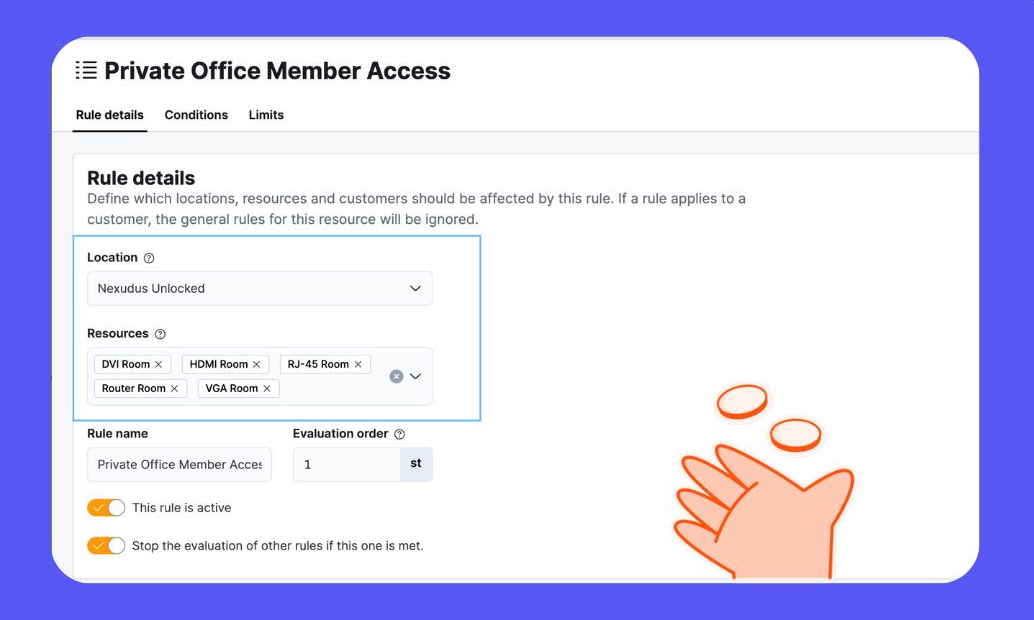
Meet Global Resource Rules!
We have now introduced a smarter way to manage resource rules across multiple locations and resources from a single place.
Instead of configuring rules individually per resource, you can now create a rule once, update it in one place, and remove it across multiple resources, saving time and reducing manual effort.
What is a resource rule?
A resource rule allows you to create exceptions to the default limits set on a resource, usually for a specific group of customers.
For example, a meeting room may normally be available from 9:00 am to 5:00 pm. A resource rule could allow members to book it 24/7.
What problem does this solve?
Managing resource rules at scale has traditionally required some manual effort:
- Limited scalability: Rules could be copied, but each resource still had to be selected individually.
- High maintenance overhead: Updating rules across multiple resources meant repeating changes one by one.
- Inefficient updates: Copying rules only helped during initial setup. Ongoing updates or deleting outdated rules had to be done per resource.
What’s changed?
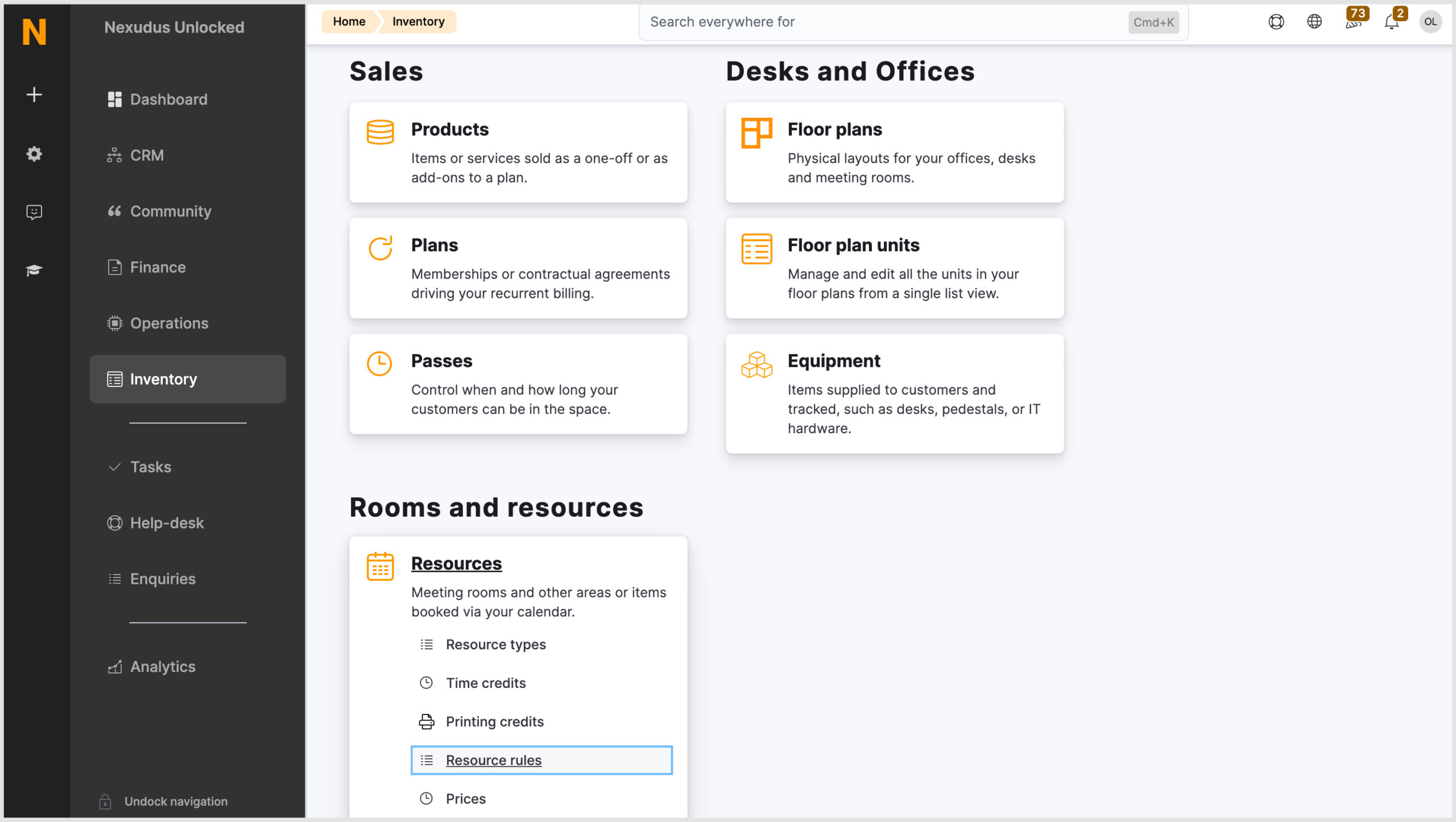
Location of Resource Rules
You can now find Resource Rules on the Resources tile in the Inventory module.
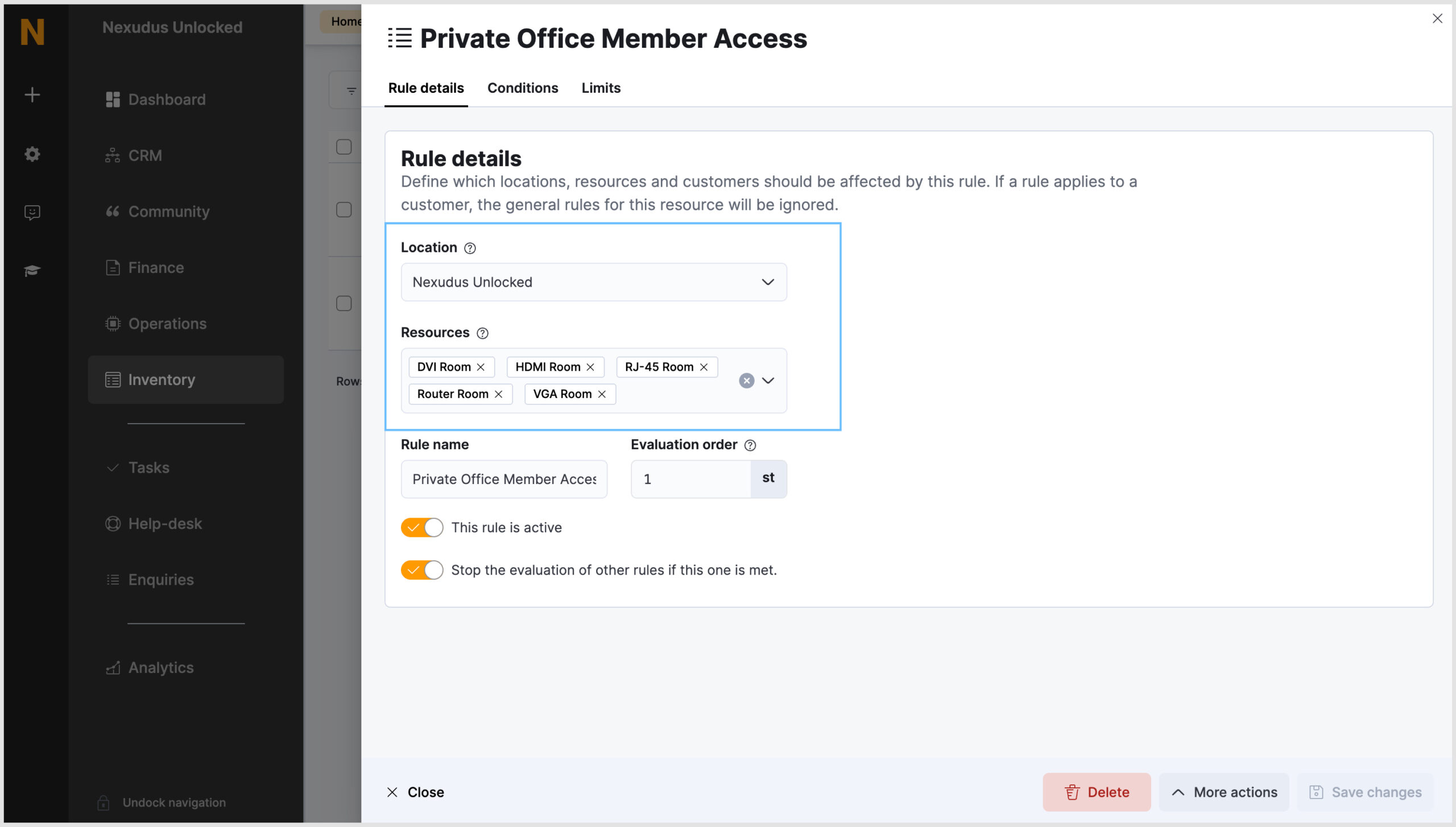
Centralised rule creation
When creating a rule, two new fields allow you to control exactly where it applies:
- Location: By default, this is set to the location you are logged into. To apply the rule across all resources in your network, simply select the network location.
- Resources: Select the specific resources the rule should apply to.
This means you can create a rule once, and apply it wherever it’s needed, no need to recreate it for each resource. The previous “Copy rule” action has been removed with this change, since rules can now be applied to multiple resources at creation.
You can still create, manage and view resource rules from within the individual resource record. All resource rules will appear in the new Resource Rules section.
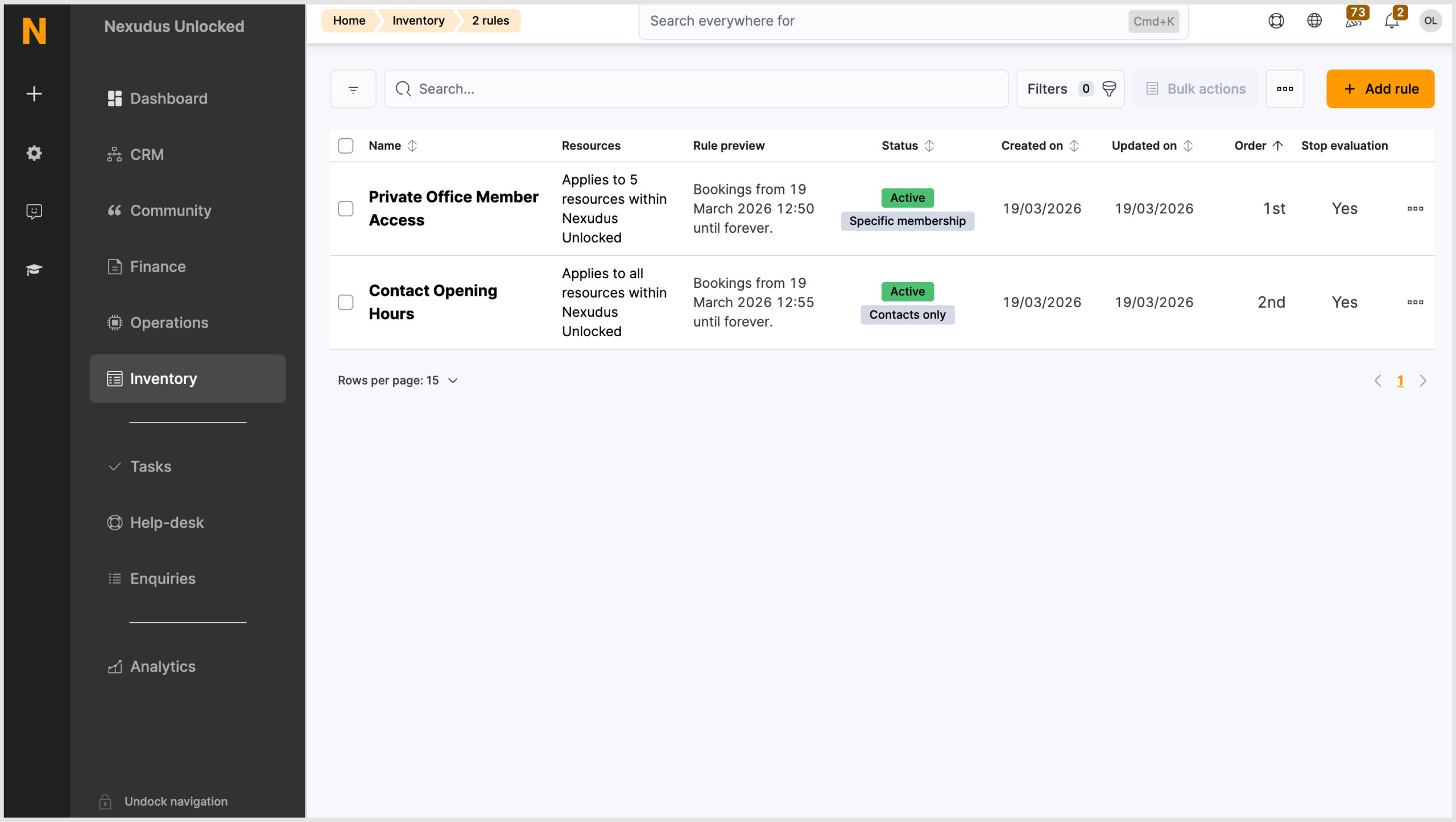
Rule details and status
Each resource rule now clearly displays its key attributes, so you always know what’s active and where:
- Name – The name of the rule
- Resources – Which resources it applies to
- Rule Preview – A quick view of the rule limits and exceptions
- Status – Active or inactive
- Created On / Updated On – Track when the rule was added or last modified
- Order – The priority order for evaluation
- Stop Evaluation – Whether the evaluation stops after this rule
Manage rules at scale
- Apply across multiple resources and locations from a single setup
- Bulk delete: Select multiple rules and remove them in one action
- Bulk update or edit: Make changes to multiple rules at once, without updating each resource individually
Global Resource Rules make managing rules at scale faster and simpler, letting admins spend less time on repetitive tasks!
Want to know more about
how Nexudus could help your business?
We’re here to answer any questions you have.