

Introducing the new Members Portal
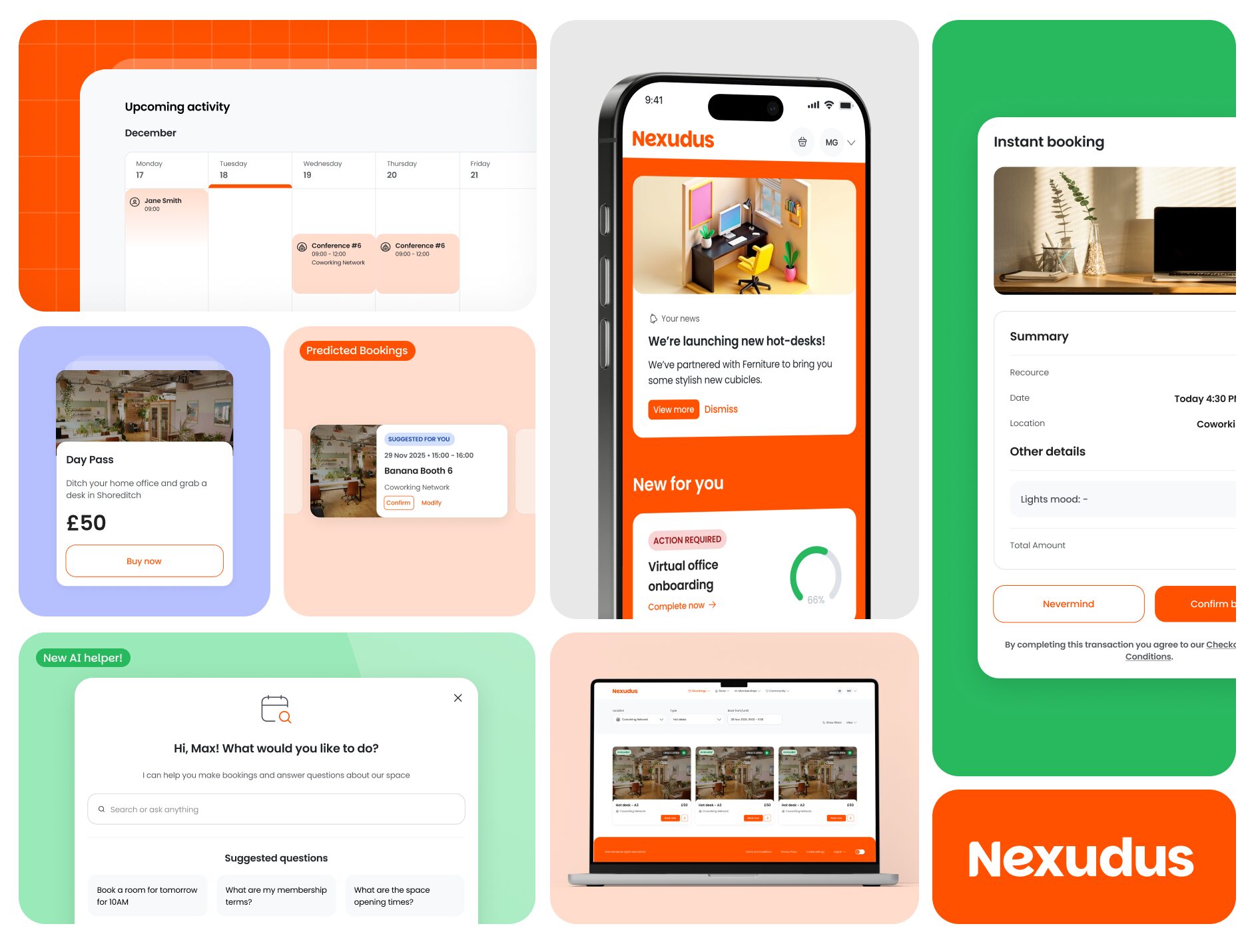
The first iteration of the new Members Portal is here! This version introduces a total shift in the member experience, built from the ground up to be faster, more accessible, and easier to customise.
Benefits: Why Move to the New Members Portal?
- Design Without Developers: The built-in drag-and-drop editor allows you to design the member experience yourself, launch pages faster and stay in control of your budget.
- Accessibility First: MPv5 ensures you are WCAG compliant with built-in screen reader support, keyboard navigation, and high-contrast modes.
- Performance Optimised: Benefit from faster loading times, and improved caching strategies for a smoother user experience.
- E-commerce widget embedding: The new portal allows you to embed specific sections of the Members Portal onto external websites. This will drive conversion and enhance user experience.
- Mobile-First Approach: Re-designed from the ground up to ensure members have a consistent booking and checkout experience across all devices.
- AI Assistant Support: A new AI assistant that can drive conversion across chat.
Key Outcomes & Features
- Widget Embedding: Bring the portal to your marketing site.
- Guest Checkout: Allow guests to book resources and purchase products without an account.
- Upfront Payments: A “payment first, invoice second” flow that aligns with standard e-commerce.
- Faster Member Bookings: Predictive bookings and streamlined flows for logged-in customers.
- AI Agent Support: A built-in chatbot to assist with bookings and policy enquiries.
Feature Breakdown
Embeddable Website widgets
Embed specific sections of the Members Portal – such as booking forms or member directories – directly into your marketing website. This creates a seamless experience where customers never leave your main website.
- Brand Consistency: Customers stay within your website’s design throughout their journey.
- Reduced Friction: No separate login processes or redirects required for initial actions.
Improved conversions: Streamlined booking flows directly on your website mean fewer drop-offs. - Responsive by Default: The widget adapts to any container width and dynamically adjusts its height.
- Multi-widget Support: Multiple portal sections can run independently on the same page.
For more information on widget embedding, click here.
Customisable Signup Forms
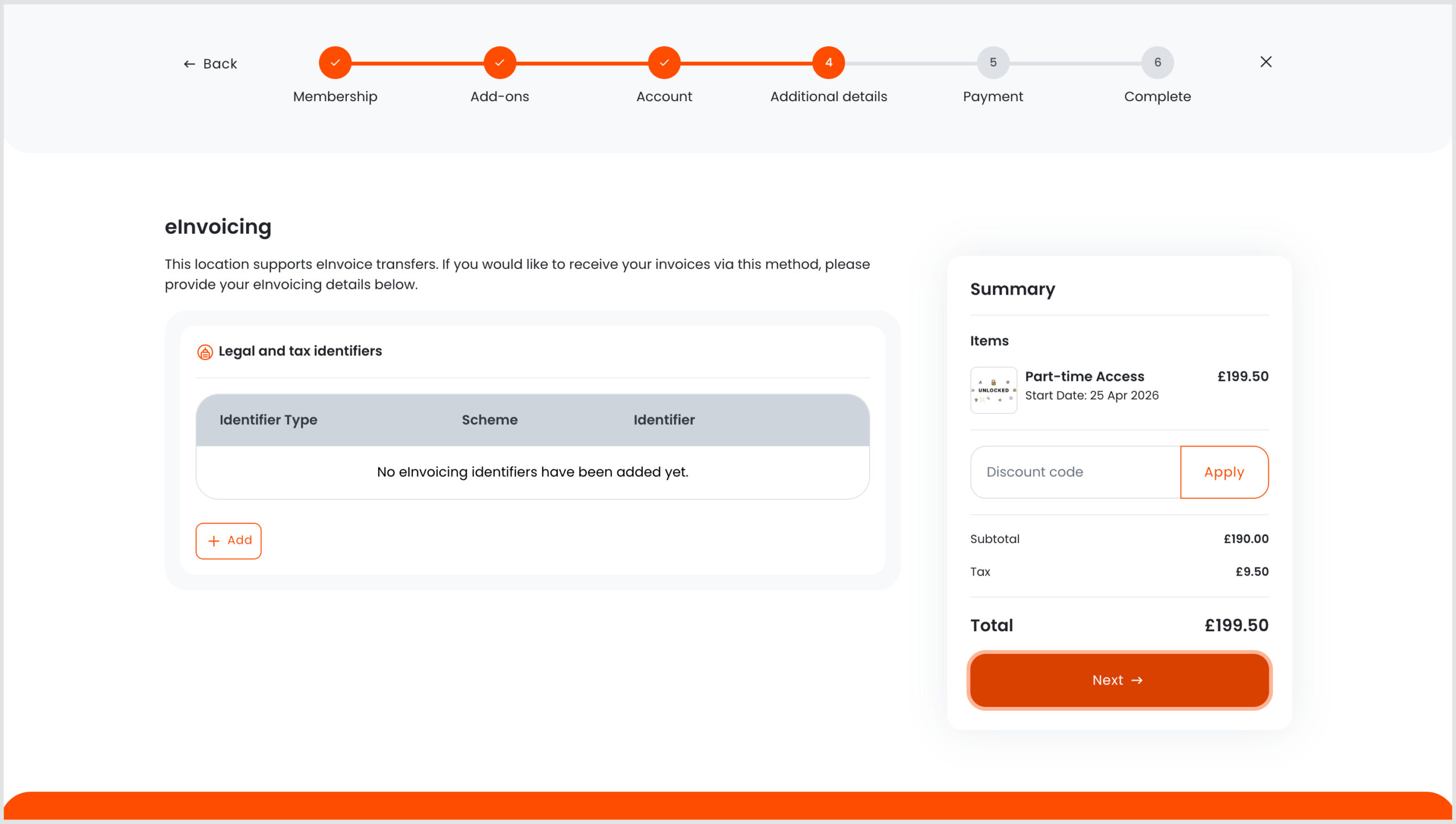
Tailor your onboarding experience through the improved sign-up forms. For example, you could make the billing name field required when a customer is purchasing a plan and this same field could be hidden when a customer is placing a booking.
If you support eInvoicing, you can ask your customers to supply the relevant information during the onboarding process.
Guest Checkout
Guests can now place bookings or purchase event tickets and products (without benefits) without needing to create a full account upfront.
- Background Records: The system automatically creates a background contact record in the Admin Panel to track the transaction.
Guests will be included in the active user count, but only for the months they meet one or more conditions. - Account Conversion: Guests are prompted to sign up during the transaction but can choose to progress as a guest and create an account later.
Tip: Guest checkout works when you only capture the information that your payment gateway requires in your default sign-up forms.
Overhauled Payment Processing
To better align with common e-commerce expectations, the new Members Portal processes payments before generating an invoice.
- Payment First: For upfront payments, the system takes the payment first, then generates the invoice, reducing customer confusion.
- If you’d prefer to raise invoices first and collect payment later, enable upfront payments and make sure unpaid bookings are automatically cancelled after at least 60 minutes. Note that this will also disable guest checkouts.
- Billing Rounds: If a customer is part of a standard billing round, functionality remains unchanged – invoices are generated on the billing date for later payment.
- Avoid Double Payments: When a payment is processing, the ‘Pay’ button and dashboard reminders are automatically hidden to prevent customers from paying twice.
Dynamic Pricing
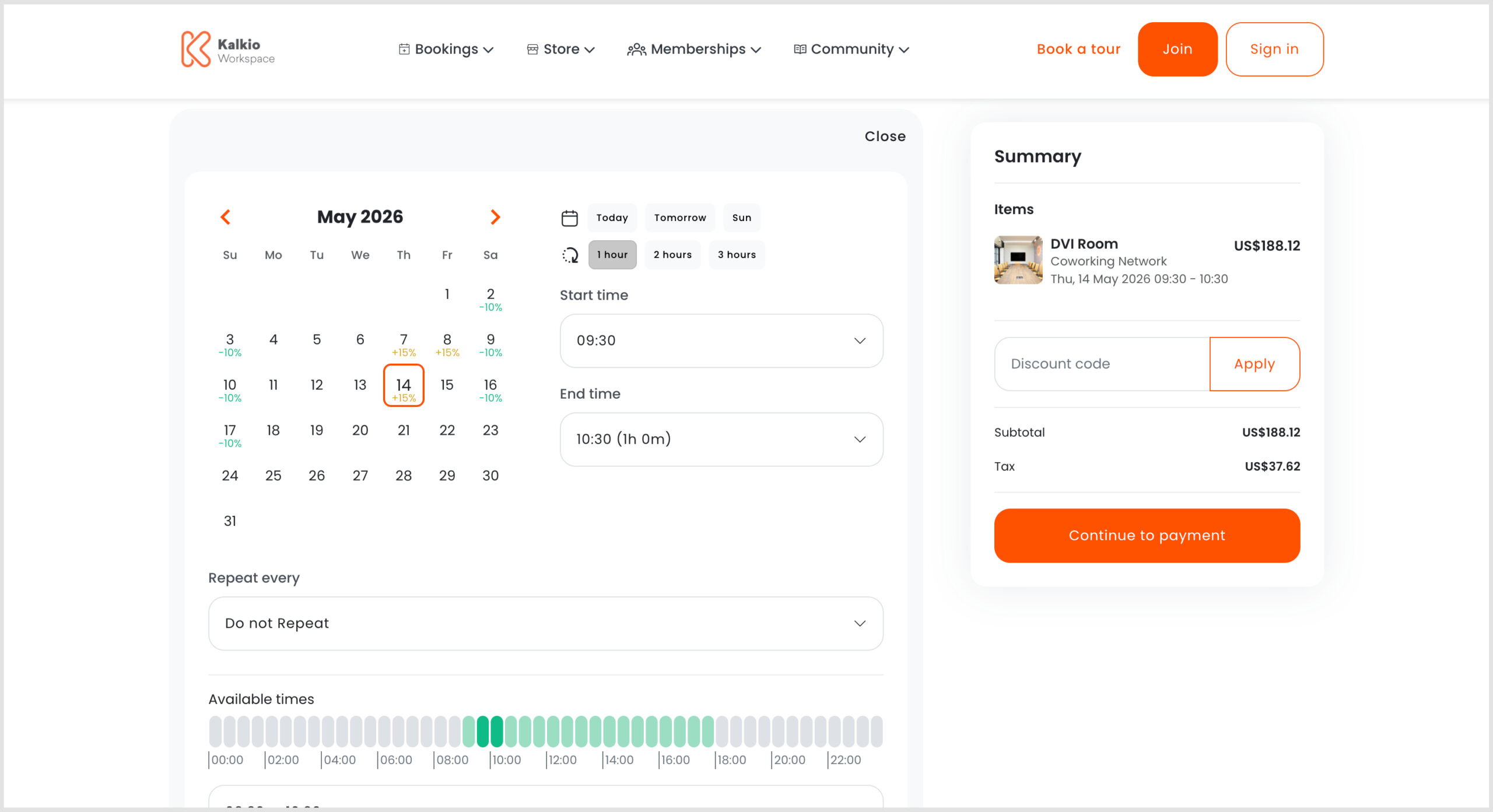
The new Members Portal makes dynamic pricing clearer for your customers. Dynamic pricing automatically adjusts rates based on demand, encouraging customers to book during off-peak periods by displaying price drops and variations more prominently. See the Knowledge Base for more information.
Enquire-Only Plans
From the Admin Panel, you can now set specific plans to “Enquire Only.” This prevents customers from purchasing them directly and instead prompts them to submit an enquiry, which automatically creates a proposal in the system.
AI Assistant
The built-in AI assistant on the Members Portal is trained on your resource, booking, and published FAQ data. It can assist with booking rooms, updating or cancelling existing bookings, and answering policy questions.
Ready to get started?
Want to know more about
how Nexudus could help your business?
We’re here to answer any questions you have.