

Restricting FAQ Visibility
Visibility restrictions for customers and members
Admins can now control who sees each FAQ article, extending the existing customer targeting options (“All customers”, “Contacts”, or “Members”) to include specific teams and specific customers.
This is a helpful update for operators building tiered content, such as course or event information for customers who have completed certain prerequisites, or details meant only for particular teams.
Admin Panel
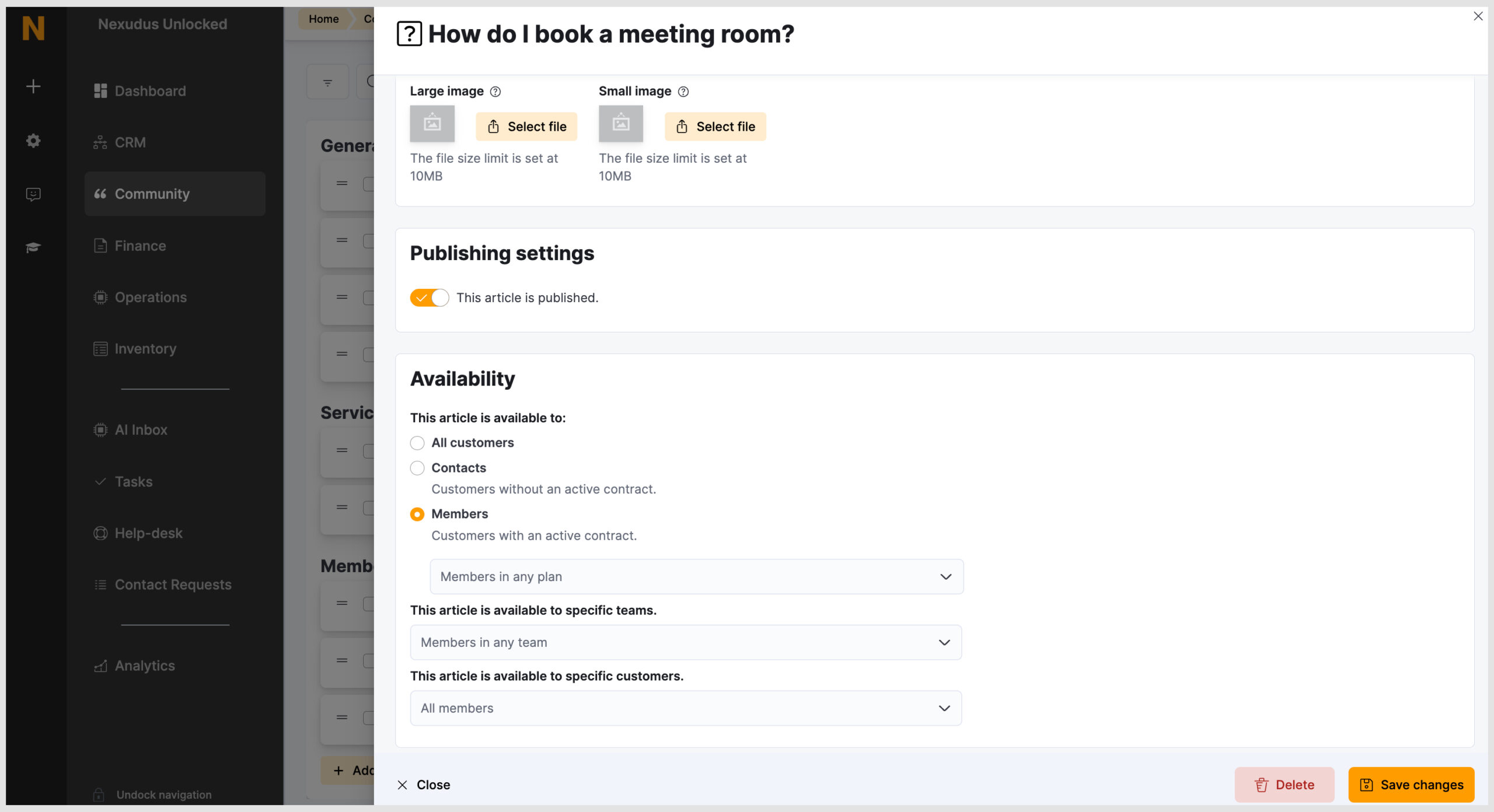
To set this up, open an FAQ article and go to the Availability section. From there, choose whether the article should be visible to all customers, contacts, and members, or to specific teams or customers.
Members Portal
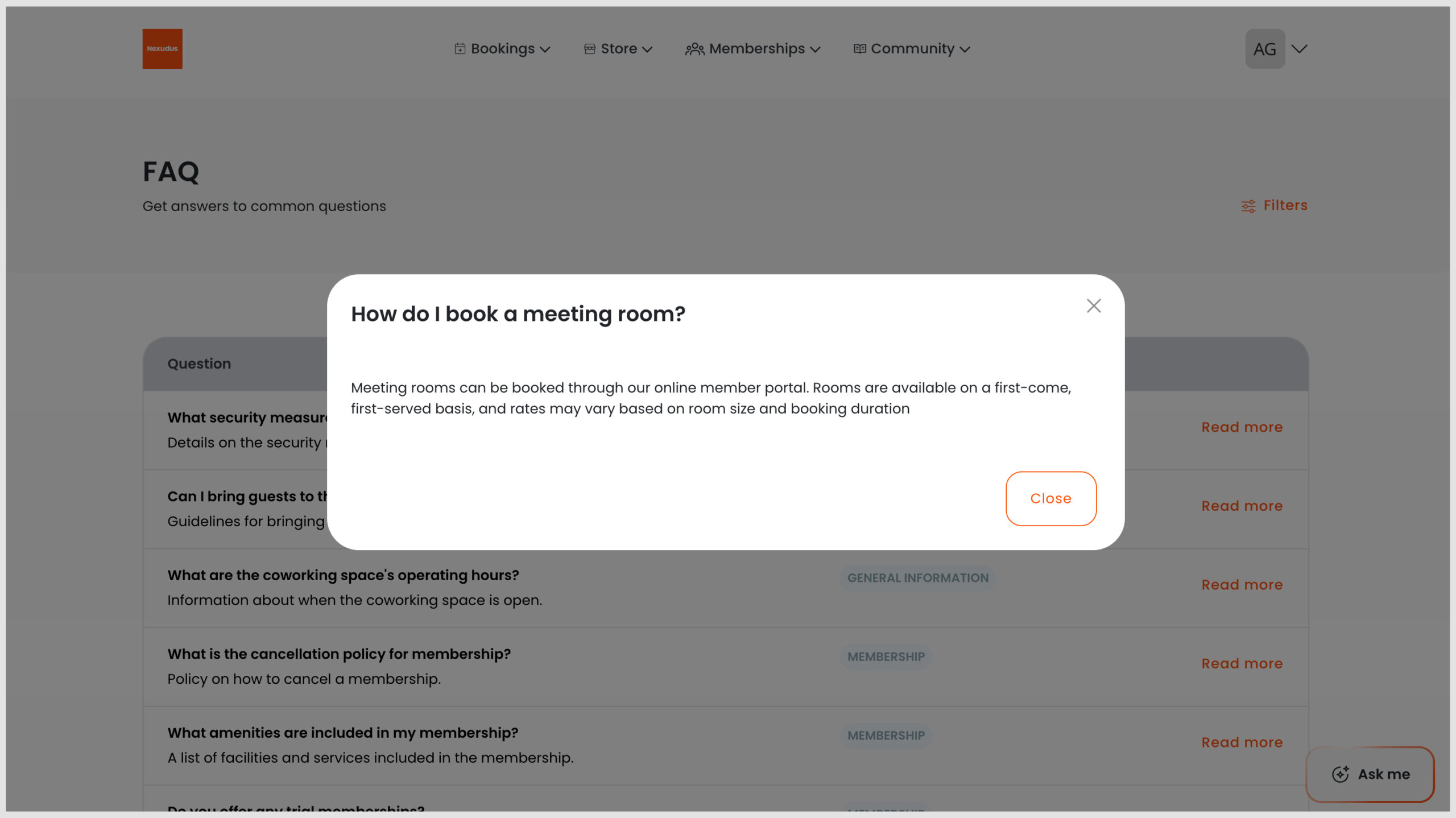
In the example above, we set the FAQ, “How do I book a meeting room?” to Members only.
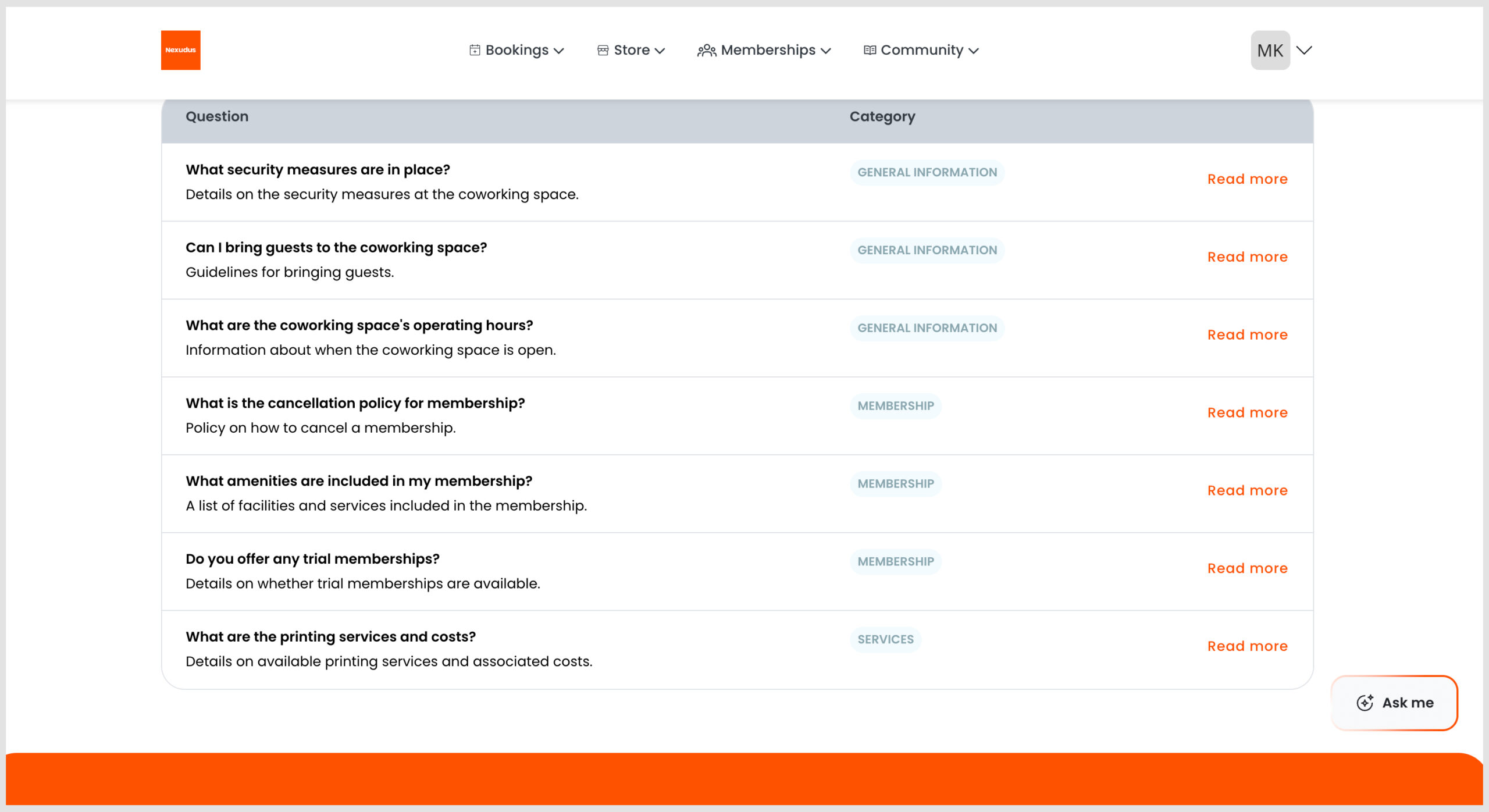
Below is an example of a member with access to an FAQ, compared with a customer who does not have access to the same FAQ on the Members Portal.
If you’d like to refresh your understanding of how to create and publish FAQs, check out the Knowledge Base articles here.
Want to know more about
how Nexudus could help your business?
We’re here to answer any questions you have.