

Event Management Features: Ticket Control & Visibility

What’s new in the Events module
We’ve made a few enhancements to the Events functionality. All of these changes are intended to align functionality across modules within the platform better and make it easier for admins to manage events.
Limiting event availability and tickets to specific teams and customers
It is possible to limit events and event tickets to specific teams and customers. This functionality is already used in different parts of the platform, so we’ve simply added it here as well to give the admins more flexibility when it comes to events.
This is a great update for spaces that wish to restrict the visibility of their events to only those who are eligible to attend. Reducing the awkward interaction between admins and their customers when they are asking about events they aren’t eligible to attend, usually because they are on a lower-tier membership.
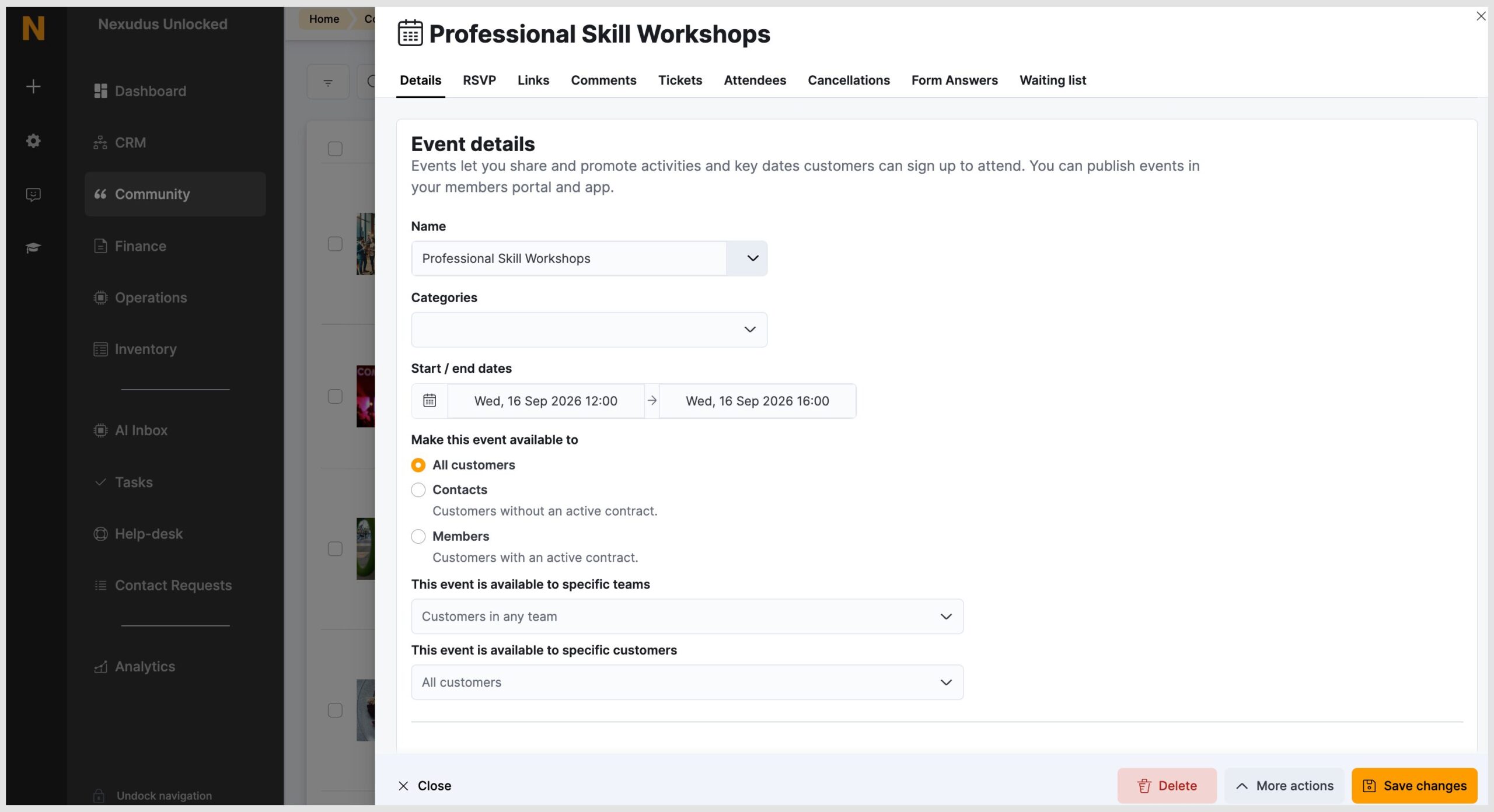
You can set this limit at Community>EventsList>Event and scroll down to view event details.
Select who this event will be available to: All customers, Contacts or Members.
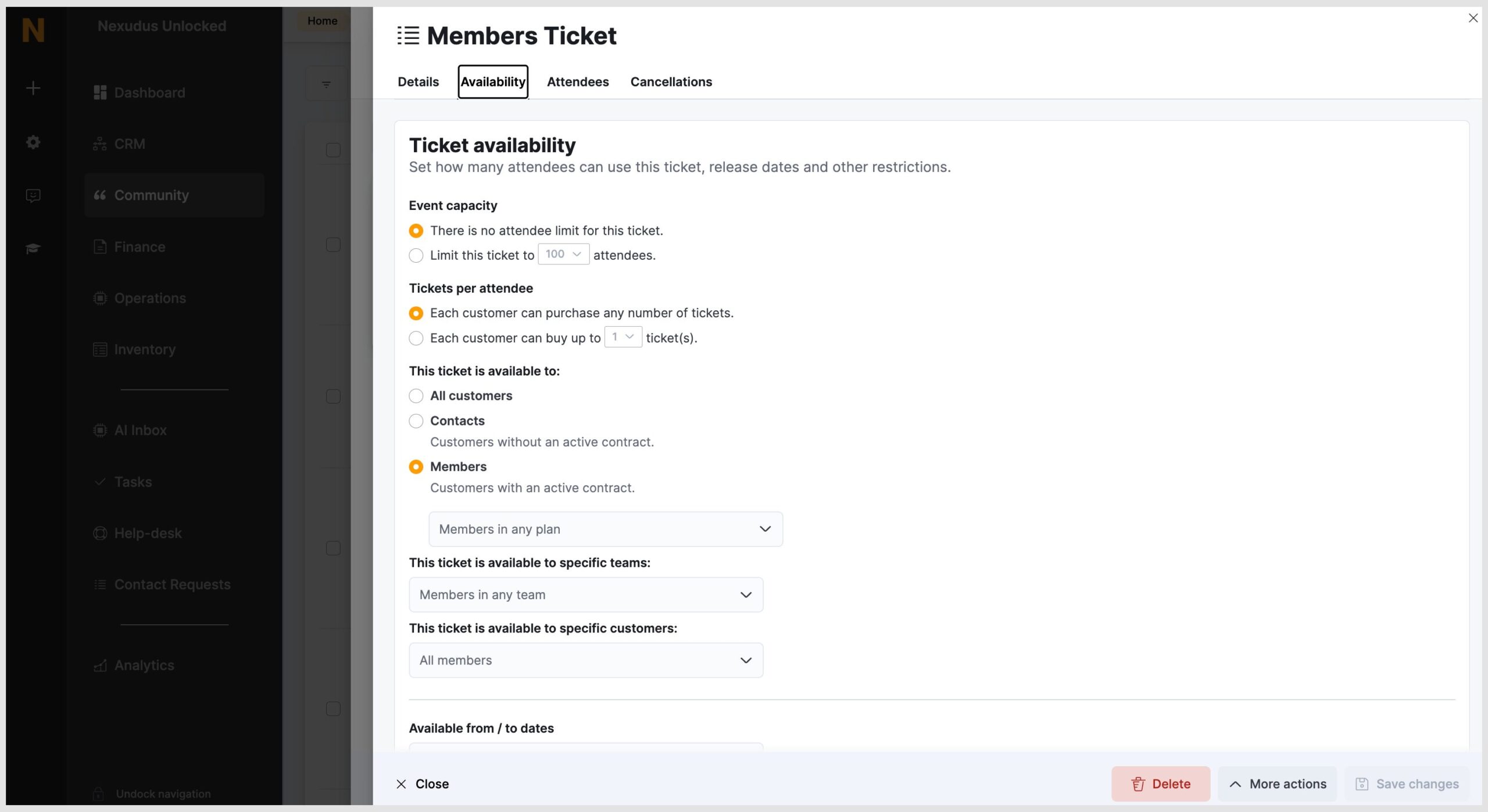
This can also be done under the Ticket availability section.
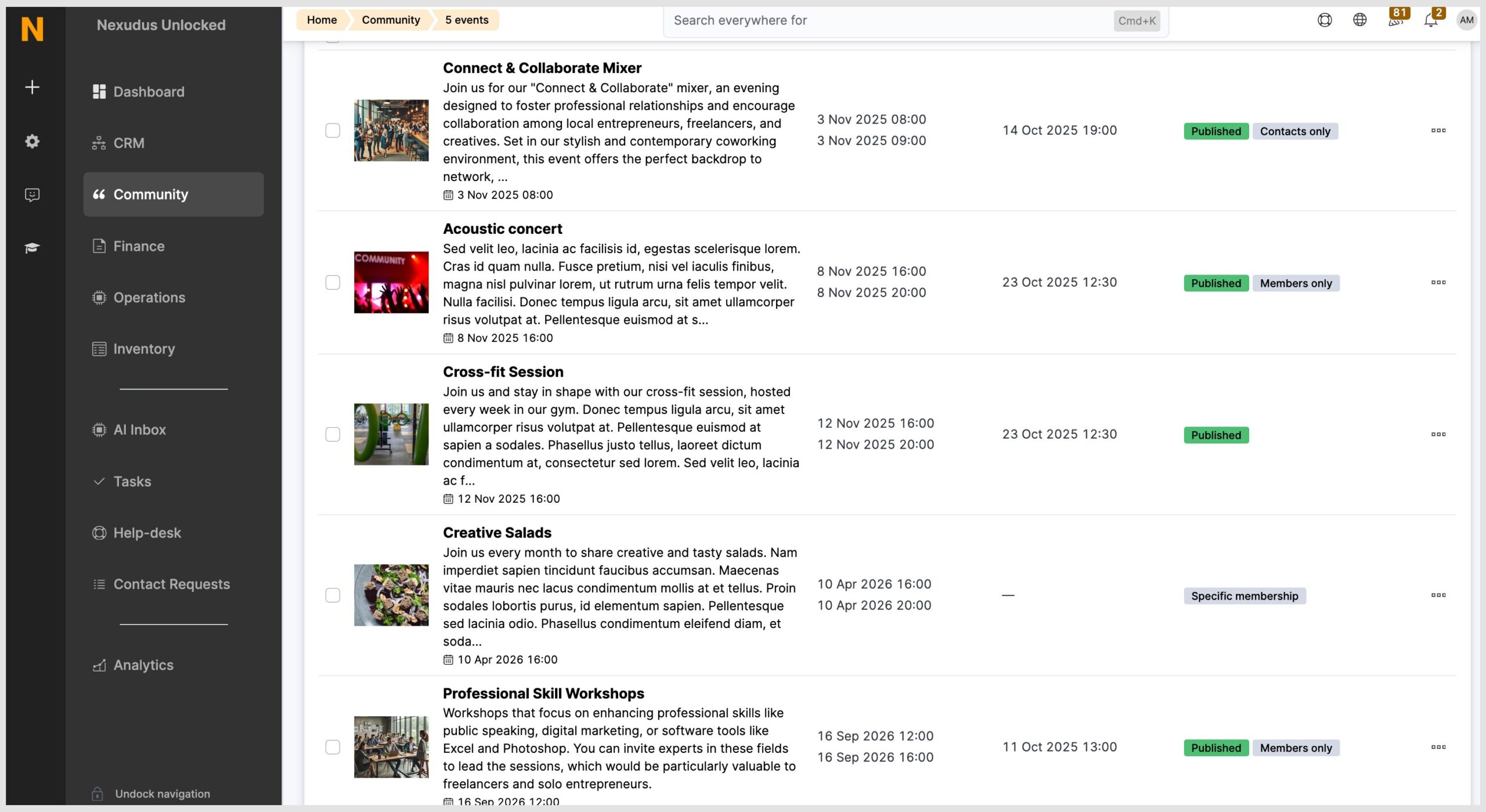
Additional badges are added to the events list to make customer targeting easy.
Check out the Knowledge Base for information on how to create an event and event tickets.
Event Ticket Cancellation
As an admin, when you cancel a customer’s event ticket, you’ll need to select a confirmation reason from the drop-down menu. The window that appears will vary depending on whether the ticket has been invoiced and whether you are cancelling a single ticket or multiple.
- If the event is invoiced and paid.
- If the event is not invoiced.
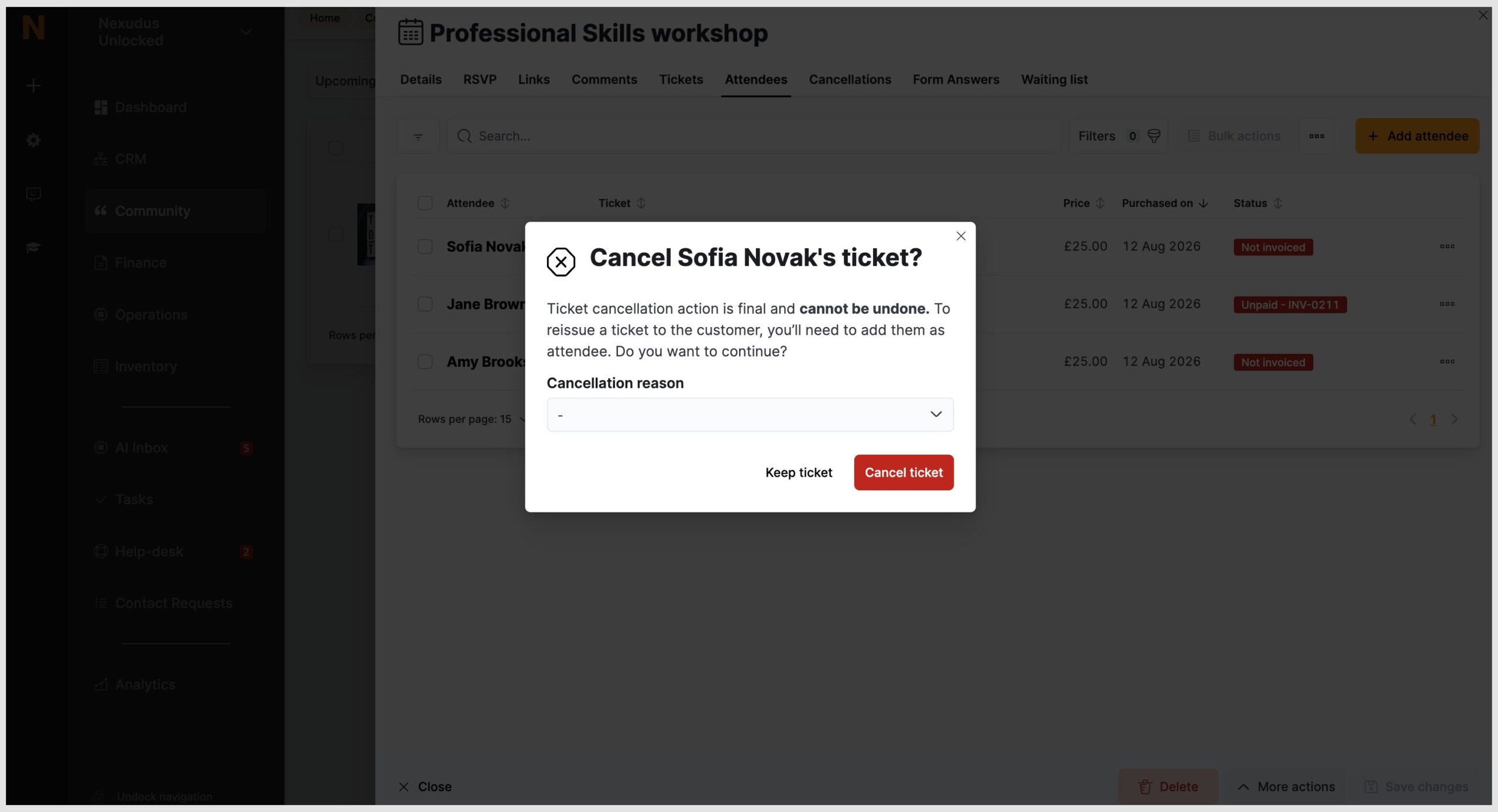
- If the event is invoiced but unpaid.
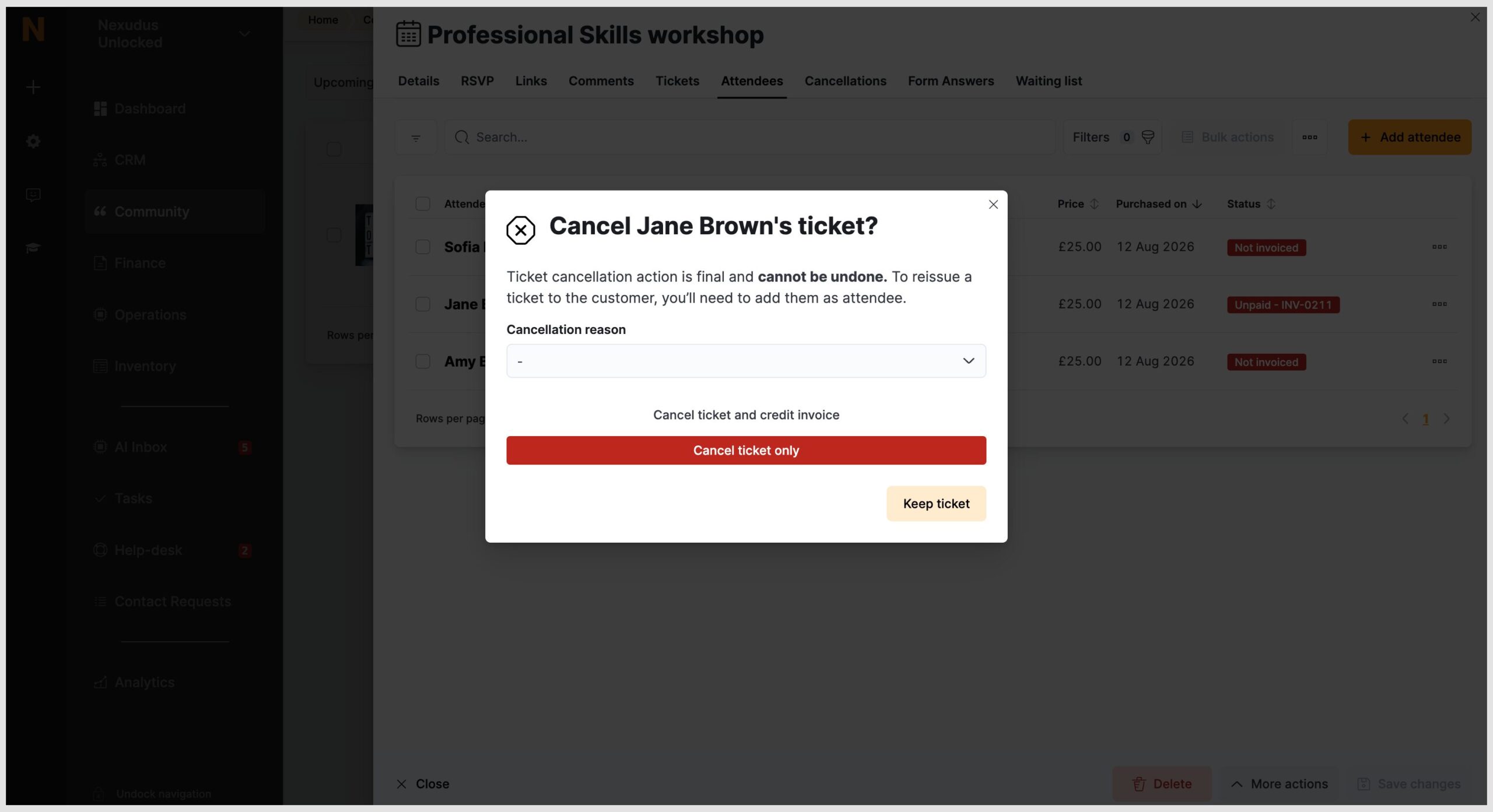
Once the event ticket is cancelled, the attendee will receive a cancellation email.
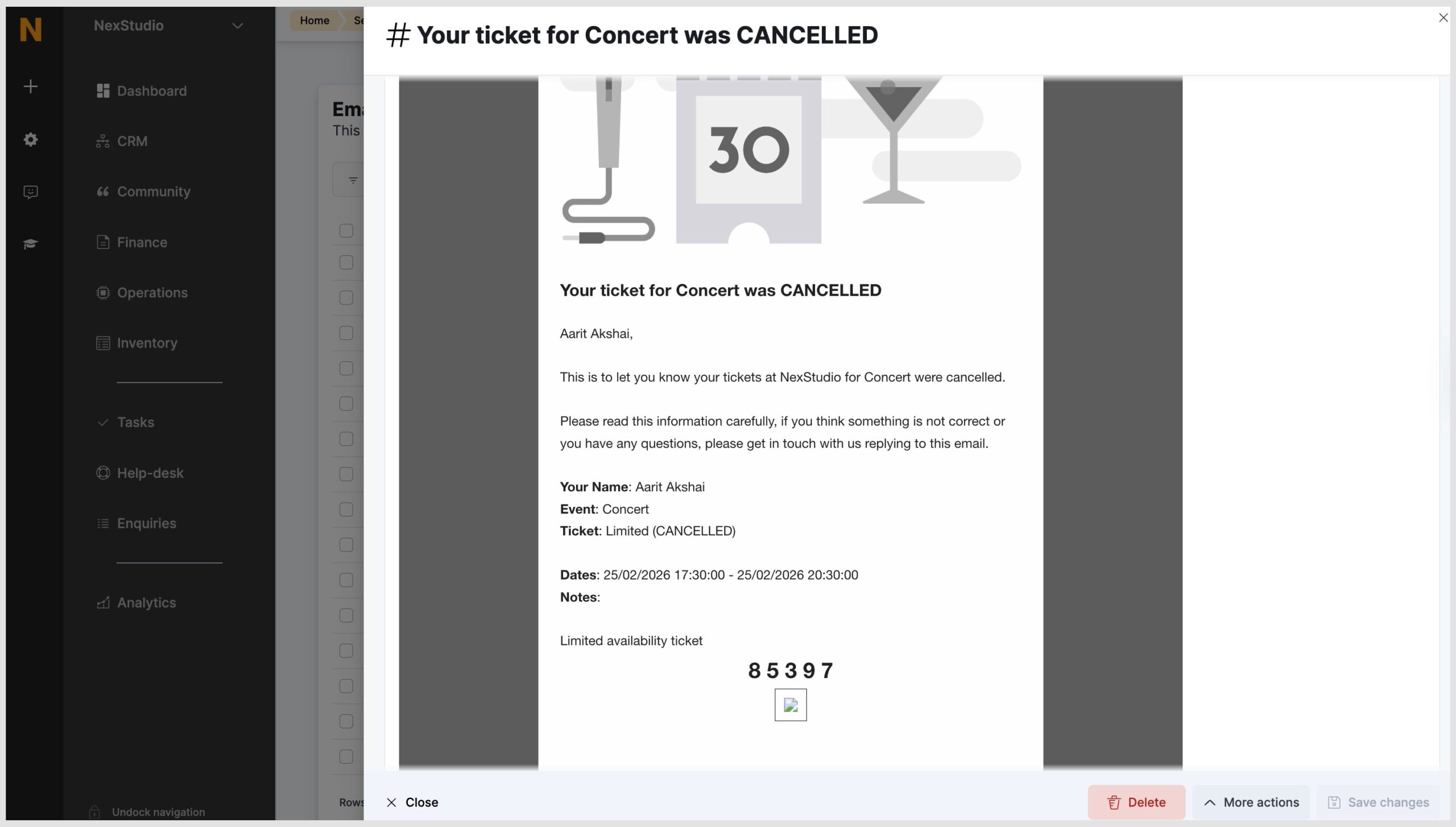
Event amendment notifications
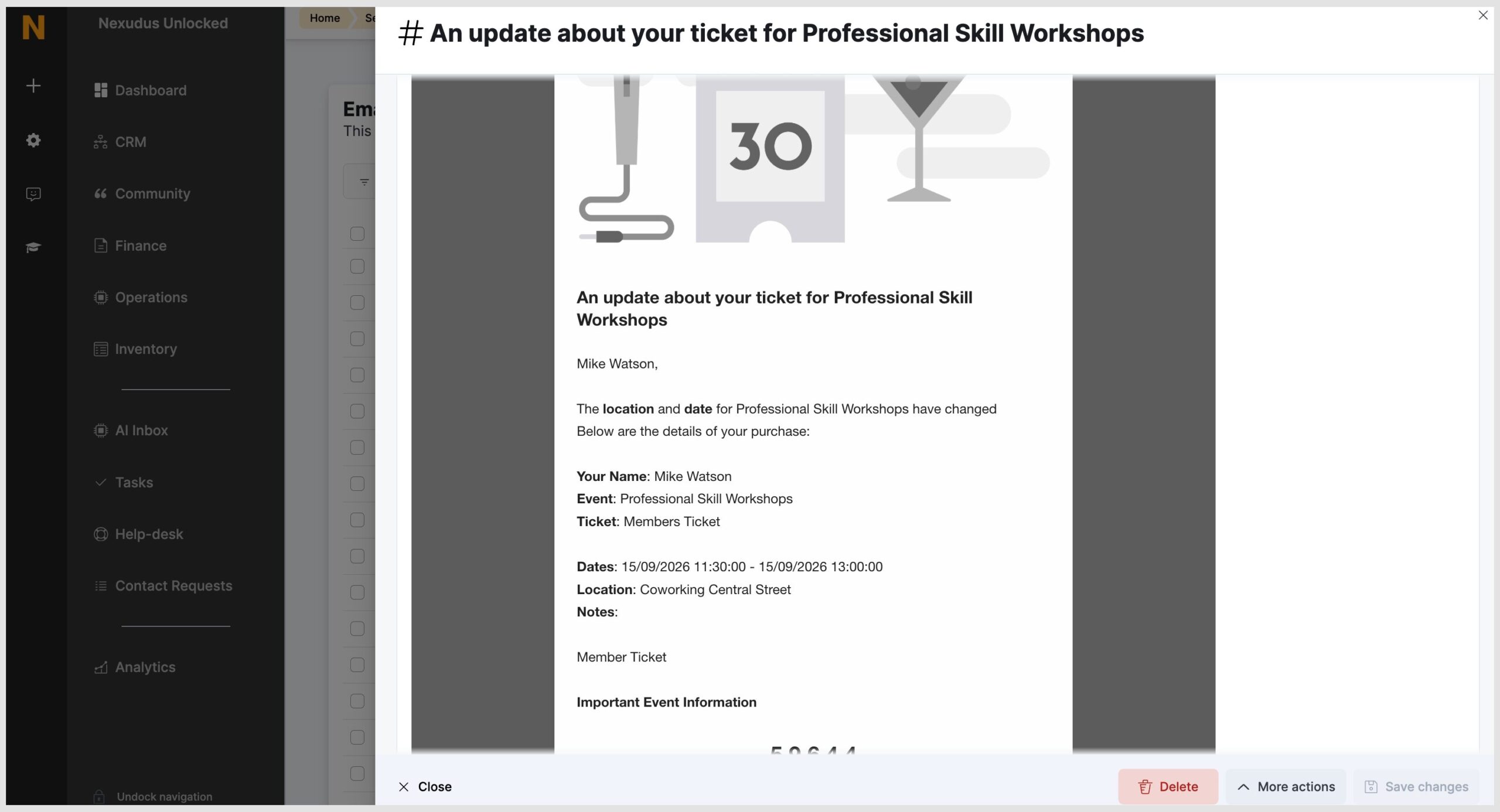
When an event is cancelled or the location, date or time is changed, event attendees will be automatically notified. When a change is made, the system will automatically send an email to those who are registered.
Below is an example of the email that is sent.
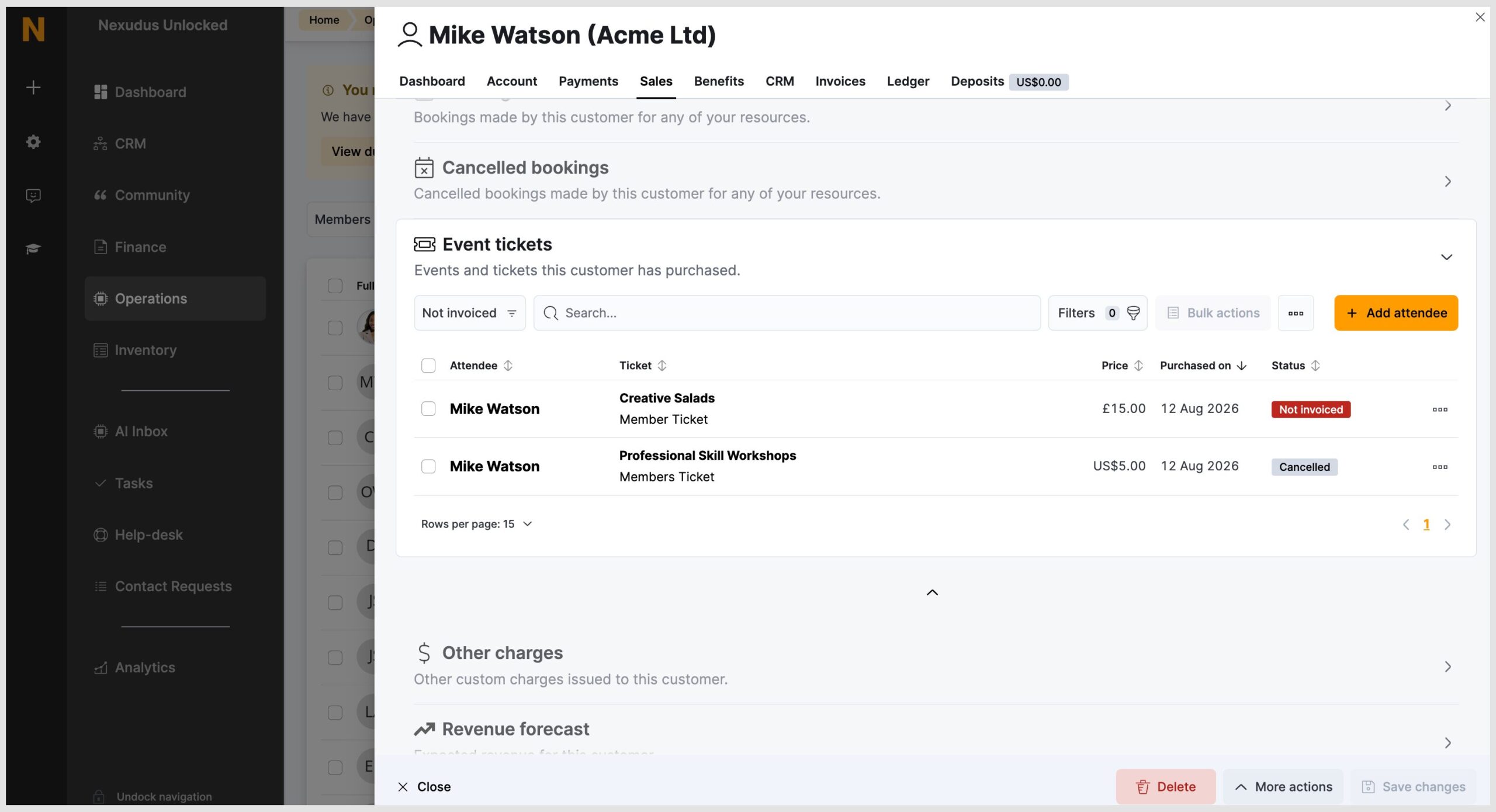
Cancelled event ticket visibility
Admins now have more visibility over cancelled event tickets.
In the event record, there is a Cancellation tab. From here, you can see the following information:
- Who cancelled
- The ticket they had purchased and the price
- When they cancelled
- The cancellation reason
As an admin, you can also click the record to see more information. The most recent cancellation will appear at the top, but you can easily filter the records by clicking the column title. A record of the cancelled tickets also appears in the customer or team record.
Want to know more about
how Nexudus could help your business?
We’re here to answer any questions you have.