


- Coworking Resources
- Technology
Why a CRM is Essential for Coworking Spaces (And How to Choose the Best One)

Running a coworking space means juggling relationships, not just desks and bookings. Every day, people move through your space as leads, tour bookings, new members, growing teams, and partners. For many operators, those relationships live in too many places: inboxes, spreadsheets, notes, and tools that don’t connect.
That fragmentation leads to missed follow-ups, forgotten renewals, duplicated contacts, and a limited view of how people actually move through your community.
Coworking is built on relationships, and managing them well takes more than good intentions. A coworking CRM brings people, conversations, and activity into one place so teams can stay organised, responsive, and ready to scale.
In this guide, we’ll explore why a coworking CRM matters and how to choose the right one for your space.
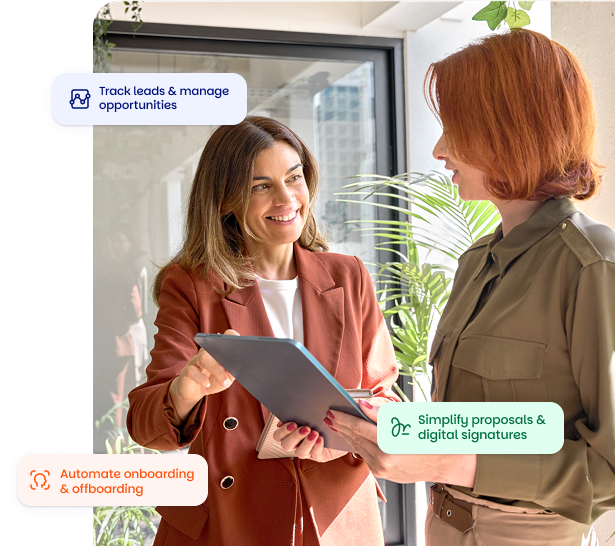

What is a CRM and why coworking spaces need one
A CRM (Customer Relationship Management system) is simply a platform that keeps track of every interaction with both existing and potential customers. In most industries, it’s used to manage sales. In coworking, the scope is much broader. Your relationships do not stop at conversion. Members continue to interact with your space every day through bookings, events, support requests, plan changes, and renewals.
Where coworking operators often struggle isn’t the volume of interactions, but the visibility of them. Teams might know what’s happening inside their own role – sales knows which tours are coming up, community managers know who’s moving in next month but there is no shared view of the full member journey.
A coworking CRM brings those threads together. It creates a single, evolving record for each person that includes enquiries, conversations, tours, tasks, membership changes, and engagement over time. Everyone works from the same information, in real time.
This clarity pays off quickly. Sales can prioritise the right leads. Community managers can personalise support. Operators can forecast occupancy more accurately. Finance teams can prepare renewals without chasing information. Most importantly, members feel known and cared for instead of bounced between disconnected systems.
A CRM is not just a contact database – it’s the framework that helps your entire workspace operate with consistency and confidence.
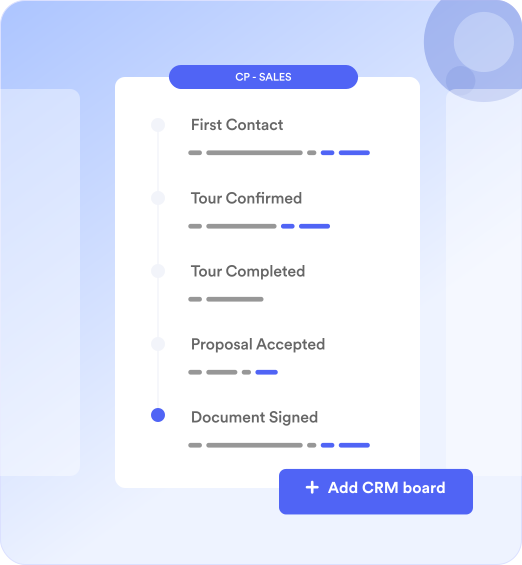
How coworking teams use a CRM in practice
A coworking CRM is most useful when it reflects how people actually move through your space. From first enquiry to long-term membership, each stage creates data that teams need to act on quickly and consistently.
Lead to tour
Someone submits an enquiry through your website. Instead of landing in a shared inbox, the lead appears directly in the CRM pipeline with key details captured in a contact record. Automation rules assign a task to follow up, set a due date, and move the lead into the correct stage. Sales teams can filter the pipeline to see who needs a response today, who has a tour booked, and who has gone quiet.
Tour to membership
After a tour, conversations and preferences are logged against the same contact record. Teams know what was discussed, what questions were raised, and what actions are still outstanding. When the person joins, their status updates without losing the history that led there. Nothing is passed between tools or lost between teams.
Active membership
Once someone becomes a member, community managers can see membership details, past interactions, support requests, and engagement at a glance. Filters make it easy to identify members by plan type, location, or activity level. Triggers can automatically create tasks or notifications when something changes, such as a plan upgrade or reduced usage.
Renewal and growth
As renewal dates approach, automation rules surface the right members at the right time. Finance and operations teams can prepare renewals with full context instead of chasing information. As the entire journey lives in one timeline, teams can spot opportunities to retain, expand, or re-engage members before issues arise.
Across every stage, the value of a coworking CRM is clarity. It reduces reliance on memory and manual tracking, helps teams work together, and ensures members experience a space that feels organised, attentive, and human.

What to look for in a coworking CRM
1. Full integration with coworking operations
Your CRM should connect with the systems that already power your space, so information stays in sync without manual work. This typically includes:
- Bookings
- Billing
- Access control
- Event attendance
- Contract management
- Wi-Fi and check-in data
How Nexudus supports this:
Nexudus connects CRM records directly to bookings, memberships, billing, and access data, giving teams a single operational view of each member.
2. Workflow automation
Look for automation that fits coworking workflows:
- Lead capture
- Tour scheduling
- Post-tour reminders
- Onboarding tasks
- Renewal prompts
- Churn risk alerts
How Nexudus supports this:
Automation rules in Nexudus can trigger tasks, updates, and reminders based on real actions, such as a tour being completed or a renewal date approaching.
3. Clear pipeline and task management
Coworking teams juggle many roles. A good CRM shows:
- Who’s responsible for each lead
- Where each opportunity sits
- Which tasks are overdue
- What the next action is
How Nexudus supports this:
CRM pipelines and shared task lists help teams track progress without relying on inboxes or spreadsheets.
4. Strong reporting and dashboards
To make informed decisions, you need visibility into metrics such as:
- Lead-to-tour rate
- Tour-to-member conversions
- Churn rate
- Renewal pipeline
- Revenue per member/company
- Segment performance
How Nexudus supports this:
Built-in filters and reports allow operators to segment data and monitor performance without exporting data elsewhere.
5. Excellent onboarding and support
CRM adoption succeeds when:
- Your team is trained
- Onboarding is structured
- Support is readily available
- The tool adapts as you scale
How Nexudus supports this:
Nexudus onboarding and support are designed specifically around coworking workflows, helping teams get value quickly and scale with confidence.

CRM vs other tools: Why integration is everything
Many operators ask:
“Could we just use Salesforce or HubSpot?”
You can, but you’ll still face major gaps.
Standalone CRMs
Pros
- Familiar
- Robust sales features
- Good reporting
Cons
- Booking data lives elsewhere
- Billing doesn’t sync
- Access passes must be handled manually
- Community activity isn’t connected
- Every update requires manual replication
Integrated Coworking CRM (like Nexudus)
Everything including leads, bookings, invoices, access, plans, contracts, events is linked to one profile.
Here is how that plays out in practice. A member upgrades their plan. Their CRM record updates automatically. The correct invoice is generated. Access permissions change. Credits renew. All of it happens in one flow, without duplicate work or manual checks.
This level of integration is what allows coworking teams to move faster, stay aligned, and trust the data they are working with every day.
How to evaluate and choose the right CRM
1. Look for real workflows, not just features
Ask the vendor to walk you through:
- A tour booking
- A follow-up
- Converting a lead
- Automating a renewal
- Updating a company’s headcount
2. Test the reporting
See if it answers questions like:
- Where do our best leads come from?
- Who is at risk of churning?
- What’s our conversion rate by segment?
3. Assess onboarding + customer success
Coworking teams change – your CRM needs to grow with you.
4. Review integrations
Make sure your CRM connects to your:
- Access control
- Door systems
- Accounting tools
- Wi-Fi / check-in
- Event tools
5. Consider UX for frontline staff
If your community managers don’t enjoy using it, adoption will suffer. The interface should be intuitive and fast for daily tasks.

CRM best practices for operators
Rolling out a CRM isn’t just about switching tools, it’s about helping your team work in a more structured, predictable way. After supporting hundreds of spaces through the transition, a few best practices consistently make the biggest difference:
Start with clear segments
Define your key groups early: hot leads, warm leads, members, past members, corporate accounts, event contacts. Good segmentation makes automation and reporting much more accurate.
Build simple workflows first
Don’t automate everything at once. Begin with essentials such as tour follow-ups, proposal reminders, renewal notifications, or onboarding checklists. These create early wins that boost team confidence.
Train your team thoroughly
A CRM only works when everyone uses it. Encourage teams to log calls, add notes, update statuses, and check the timeline before making decisions.
Review performance
Conversion rates, pipeline health, time-to-close, and renewal performance help operators spot bottlenecks early and adjust processes before issues grow.
Real operators often see measurable benefits once their CRM becomes part of everyday work. Cahoots, a software-focused coworking space in Michigan, described the impact clearly.

Alison Todak
Managing Director at Cahoots

CRM as your growth engine
A coworking CRM doesn’t just organise contacts – it shapes how your team sells, communicates, nurtures, and retains members.
With the right CRM, operators get:
- Clarity
- Consistency
- Growth-ready workflows
- Connected data
- Stronger member relationships
And ultimately, a smoother, more predictable operation.

Want to know more about
how Nexudus could help your business?
We’re here to answer any questions you have.
Latest articles
-

- Coworking
- Technology
Nexudus AI Agents: The Different Types and What They Do
Emily Nguyen on October 12, 2026 -

- Coworking
- Coworking Resources
Practical AI Lessons for Coworking Operators from GWA Denver 2026
Damian on October 1, 2026 -

- Coworking
- Coworking News
- Technology
AI didn’t add a feature to coworking software. It’s rewriting what the product is.
Jane Robathan on September 30, 2026