

Host approval for walk-in visitors

You can now get your customers to approve or reject their visitors before you grant them access to your space. This update allows you to enhance your security and prevent unauthorised access to your space.
Settings
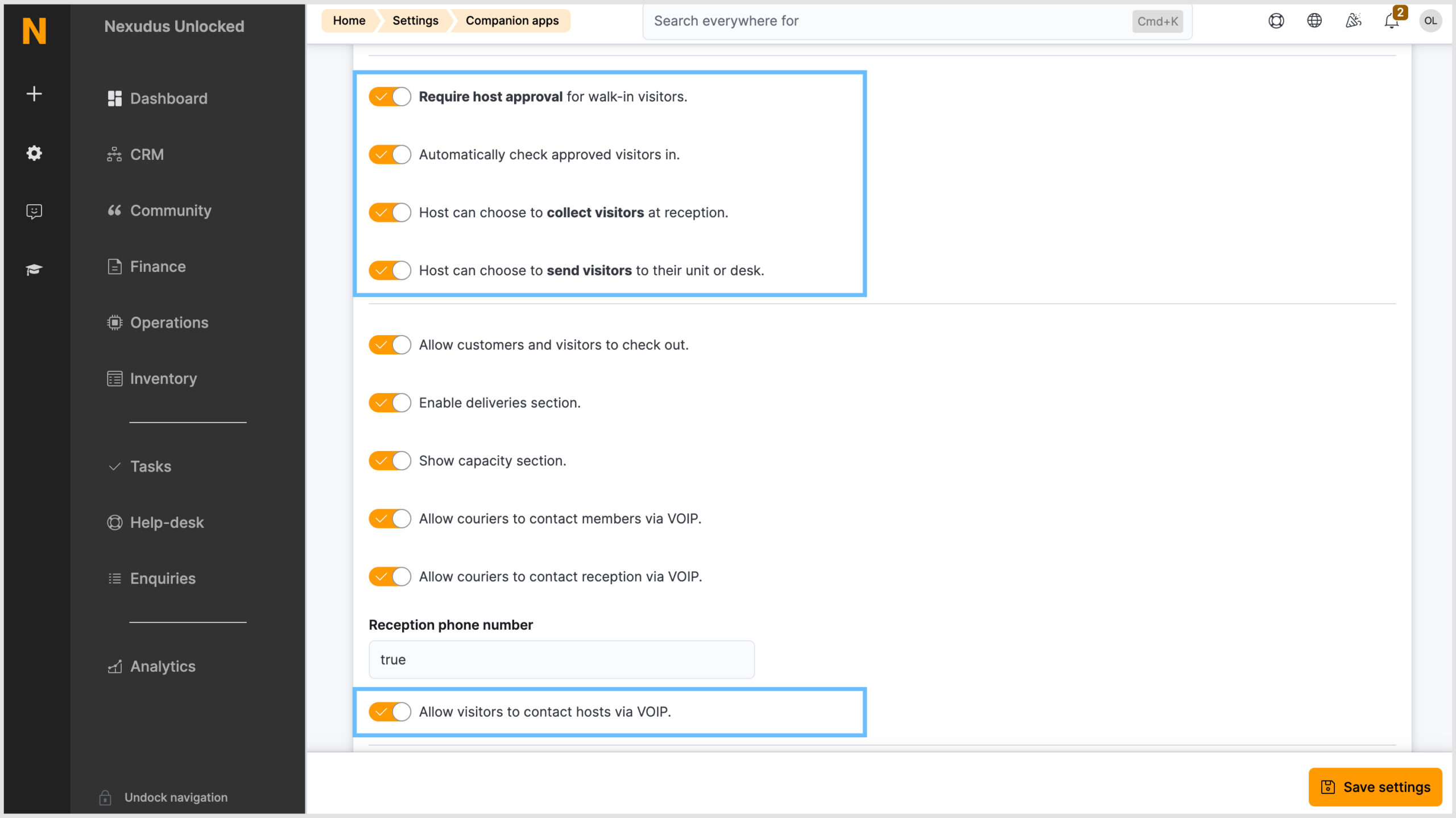
There are a few new settings (Companion apps > NexIO > Version 2) in the Admin Panel to be aware of:
- Require host approval for walk-in visitors
When this setting is enabled, additional settings will appear. The additional ‘host can choose’ settings, when enabled, will be included in the email to the host. See the example email later in this product update. - Automatically check approved visitors in
When this setting is enabled, visitors will be automatically checked in when the host approves their visit. - Allow visitors to contact hosts via VOIP
This feature is only available to spaces in the United Kingdom.
If your space has enabled one of the ‘require host approval’ settings but hasn’t enabled the automatic check-in setting, the visitor will receive an email with the PIN code and QR code. However, when they attempt to check in, they will be notified that the host must approve their visit. Once the host approves it, the visitor will be able to check in.
NexIO
To better understand the NexIO changes, take a look at the GIFs below, which demonstrate some common user journeys.
Registering as a walk-in visitor on NexIO
The main change to this user journey is the last screen which informs the visitor that their host has been notified.
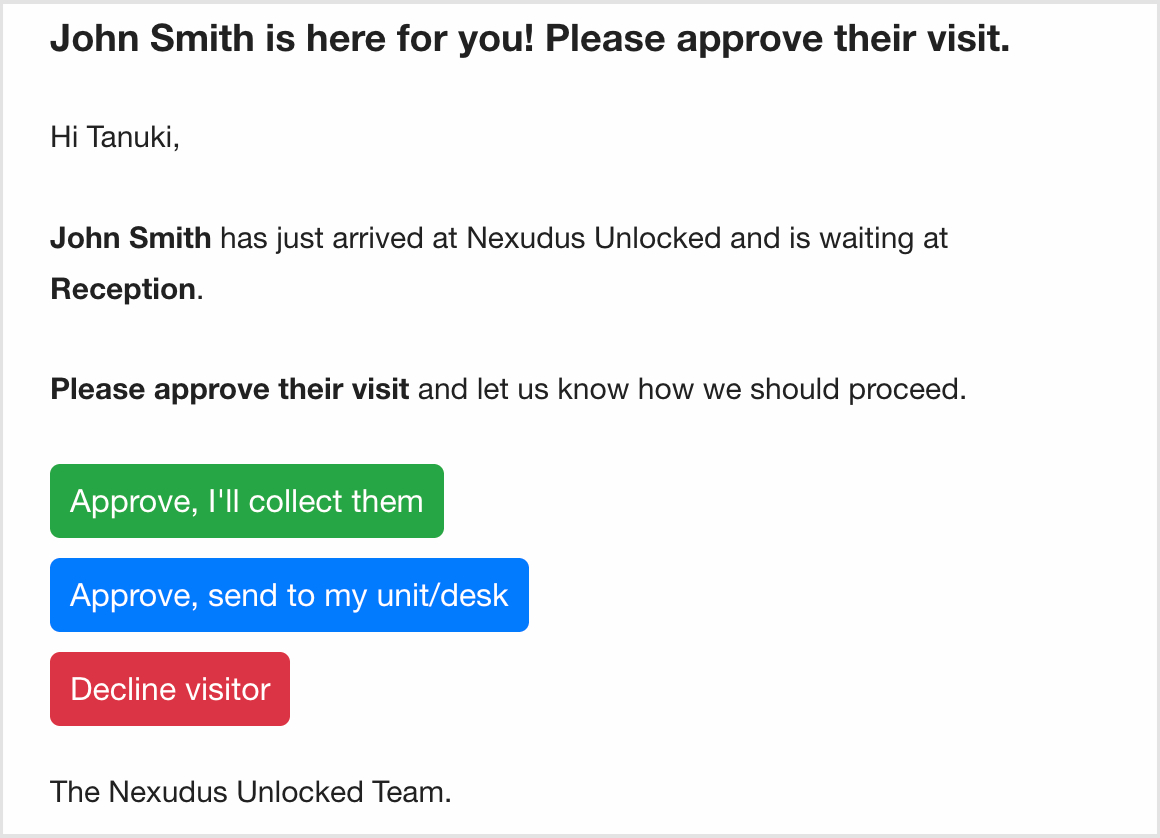
The host will also be notified via email when a visitor is there for a visit. They are given three options:
- Approve, I’ll collect them
- Approve, send to my unit/desk
- Decline visitor
Pre-registered visitor calling their host
If the Allow visitors to contact host via VOIP setting is enabled, pre-registeted visitor can call their host via NexIO provided the host’s phone number is in the system. This is similar to how couriers can call delivery recipients. This calling feature (Twilio integration) is only available in the United Kingdom.
Managing visitors – Admin Panel
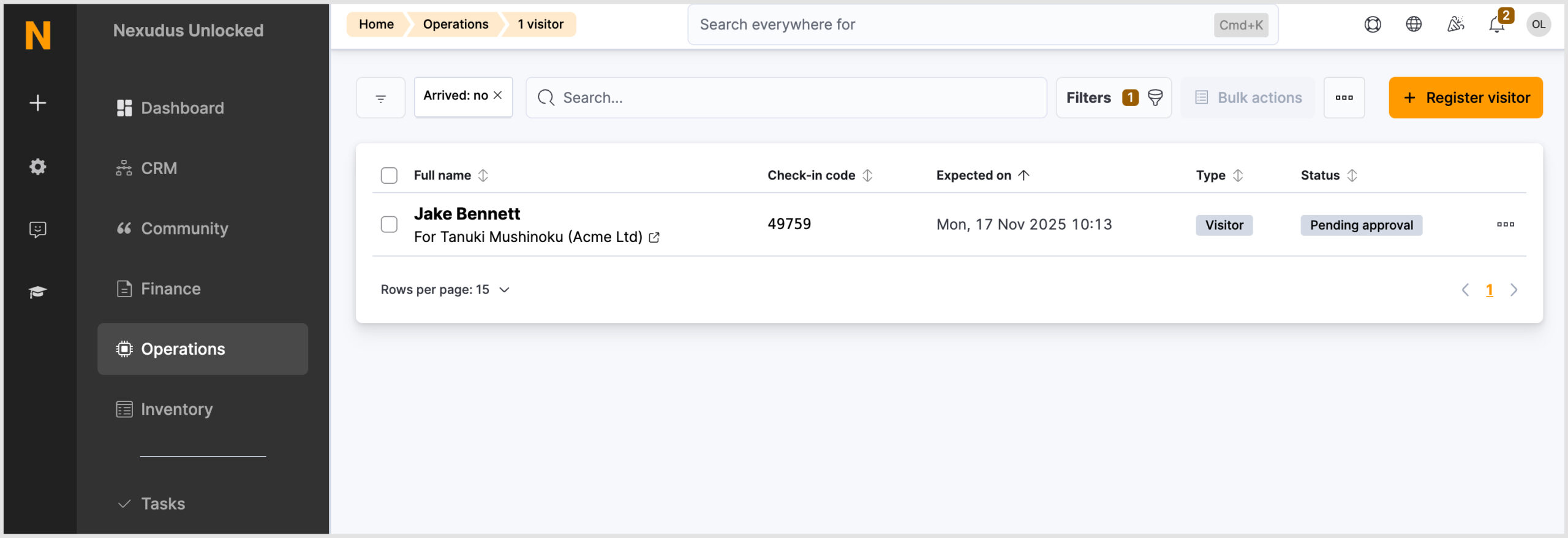
In the Visitors section of the Operations module on the Admin Panel, any visitors awaiting the host’s approval will have a ‘Pending approval’ tag.
When the visitor has been approved, they will automatically be checked in, provided the setting has been enabled. The visitor WiFi code will also be issued.
Admins with the ‘Visitor registrations’ notification setting enabled will be notified via email.
Want to know more about
how Nexudus could help your business?
We’re here to answer any questions you have.