

Improved Checkout Flow
As an admin, you now have more flexibility when it comes to the forms used in sign-up flows and product purchases. Not only have we updated the admins’ options on the Admin Panel, we’ve also updated the sign-up and checkout experience on the Members Portal (version 4).
Admin Panel Changes
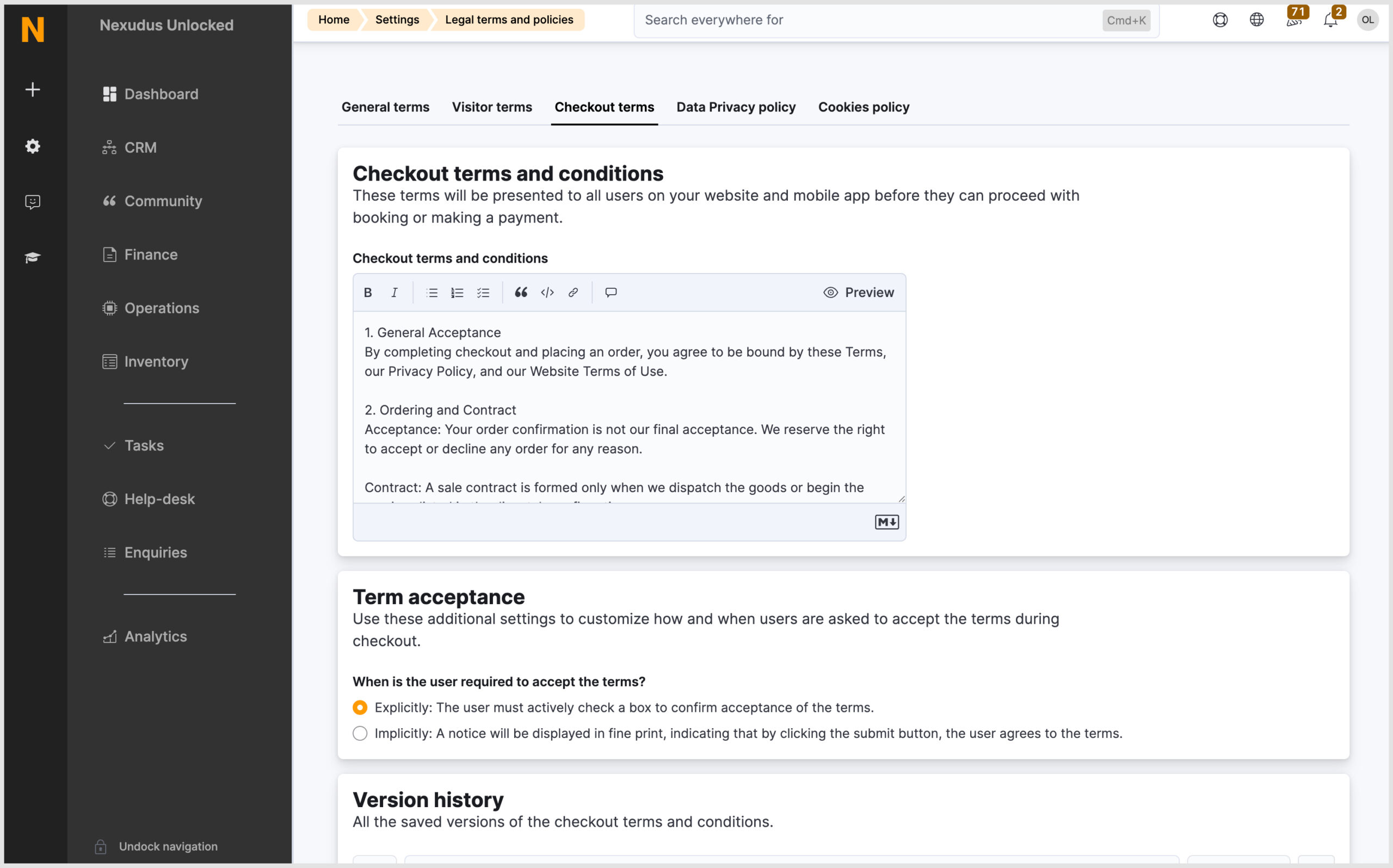
Checkout terms and conditions
Spaces can now define specific terms and conditions that users must accept before they can proceed with booking or making a payment on the Members Portal. They can decide whether users need to explicitly accept the terms by ticking a checkbox or they implicitly accept them when they continue with the checkout process.
These are managed from Settings > Legal terms and policies > Checkout term tab.
Sign-up and checkout settings module
There is a new settings module, Sign-up and checkout, in the Admin Panel. This settings module contains all settings relating to signing up on the Members Portal and customer accounts.
Some pre-existing settings have been moved here and renamed. To assist with this change, there will be a redirect message where the settings were previously located.
Sign up tab – all the settings here have been relocated from other areas in settings.
Forms tab – is where admins can define which fields will be displayed during sign-up flows and product purchases. The default form will be used in all sign-up flows and product purchases. You can add publishable custom fields to the default and extended forms. They just need to be created at the network level first.
Checkout tab – all settings here have been relocated from other areas in settings.
Account tab – all settings here have been relocated from other areas in settings.
Members Portal Changes
Now let’s take a look at the changes to the Members Portal (version 4). There have been a number of UI and UX changes, including to the sign-up and product purchase flows and the tour page.
The sign-up and product purchase flow will vary depending on whether the end-user is already signed in to the Members Portal and what action they are performing. Most of the changes to the Members Portal have been to better align our platform with common e-commerce websites.
Rather than explain all the changes, take a look at the video below.
It is worth mentioning the following changes that aren’t covered in the video above.
Proposals
The new default proposal view contains more information on the plans, and additional items included in the proposal as well as a breakdown of the scheduled price changes. It is important to note that only the billing periods where a price change has been scheduled will be shown.
Billing page
In the Invoices tab, there is just one ‘Pay’ button now, regardless of the payment integration connected. The end user will be taken to the payments page, where they can complete the payment.
In the Payment details tab, the end user can update their card payment details by clicking ‘Edit’. Their default payment method is easily identifiable by the ‘Default payment’ tag.
Discount codes
During the checkout process, provided they are signed in, any applicable customer discounts will be automatically applied to the basket and cannot be removed. To ensure discount codes aren’t shared, the specific code will be hidden. The customer will only see the discount amount.
Want to know more about
how Nexudus could help your business?
We’re here to answer any questions you have.